
1. Click "Quotations" in the left sidebar to enter the "Quotations (Quotation management)" page. 2. The tab bar at the top of the page allows you to switch between "Sent Doc." (sent quotations) and "Received Doc." (received quotations). 3. The filter bar at the top has "Stat All" to display all statuses, and you can also click "Sent Doc. 1" to quickly filter the number of sent quotations. 4. The list columns include Quotation No., Buyer, Incoterm, Currency, Created Date, Last Change, Validity, and other information for easy review of quotation status.
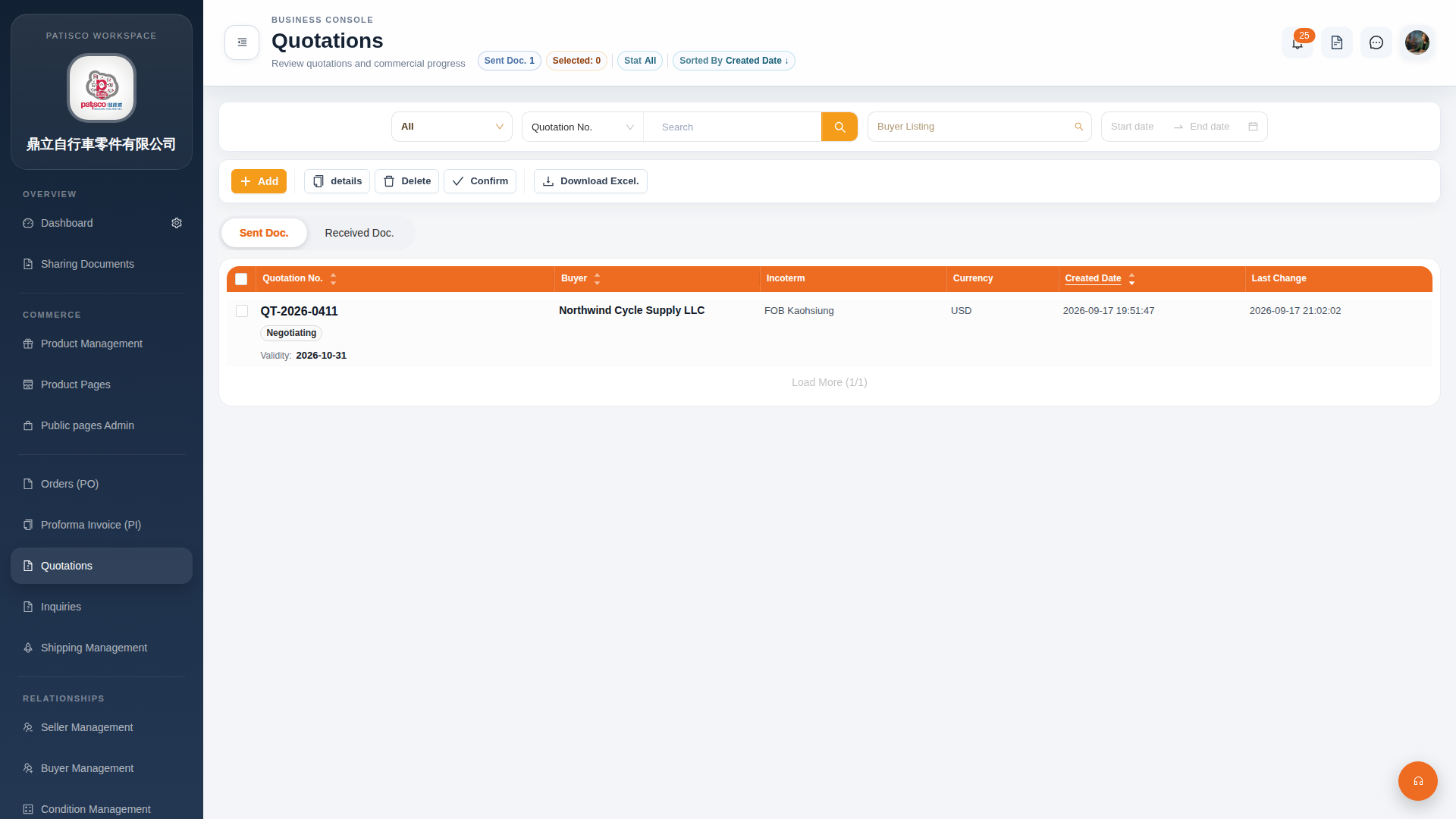 G4 桌面版|Quotations(報價單管理)