
1. Add: Click the "Add" button on the left side of the top of the list, fill in the required information such as buyer, trading condition (Incoterm), and currency (Currency), then save. 2. View details: Select a quotation in the list, then click the "details" button at the top to view the detailed information of that quotation. 3. Confirm quotation: After selecting a quotation, click "Confirm" to set the quotation status to confirmed. 4. Delete: Select the quotation you want to delete and click the "Delete" button to delete it. 5. Export to Excel: Click "Download Excel." on the right side of the list to download the quotation data of the current list as an Excel file. 6. To search for a specific quotation, you can select a condition in the search bar (for example, Quotation No.), enter keywords and click the orange search button; you can also filter by buyer name in the "Buyer Listing" field.
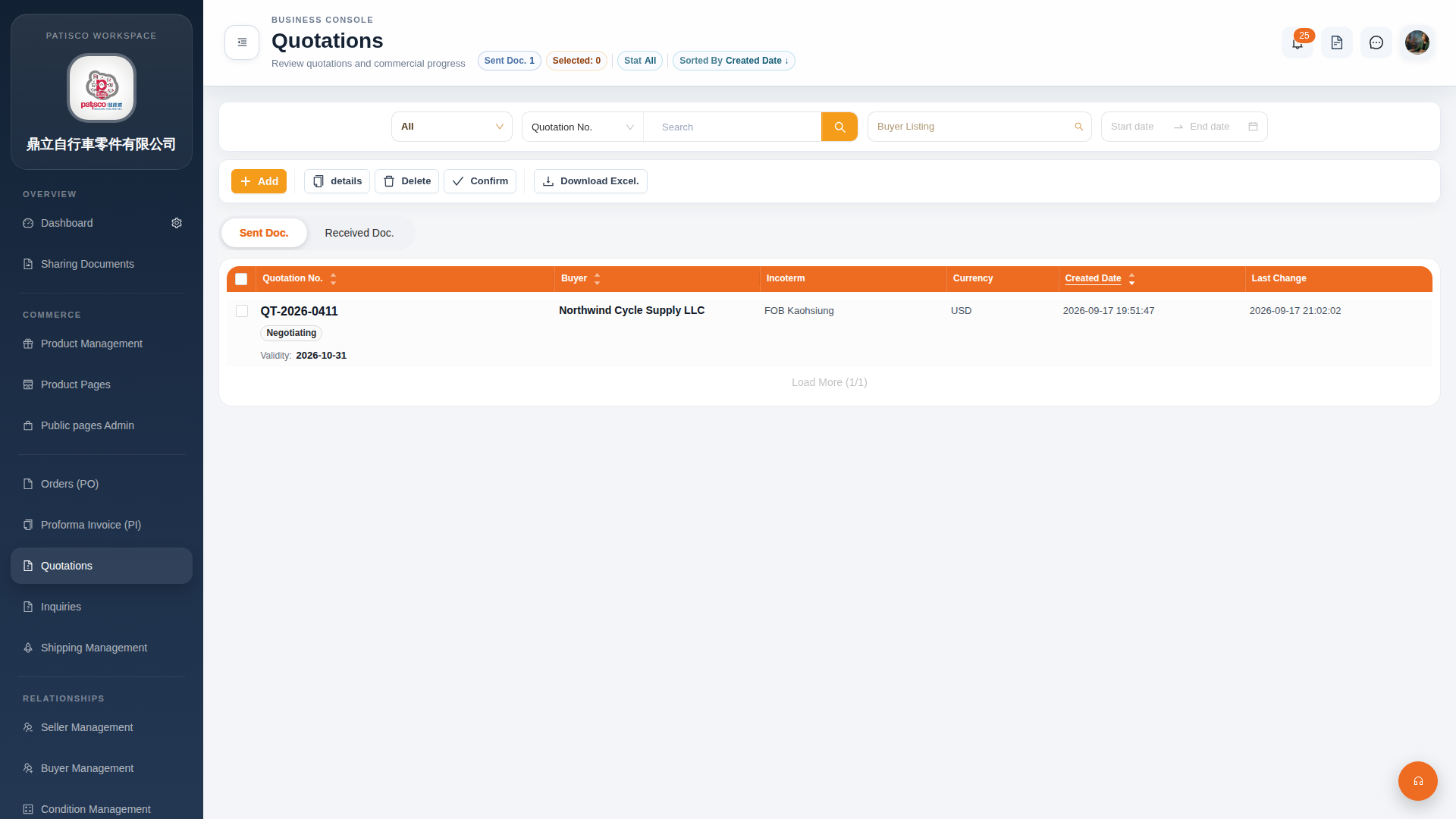 G4 桌面版|Quotations(報價單管理)