
1. Open the mobile version of Patisco and enter the "Purchasing Order (PO)" page from the main menu. 2. After entering, the "Sent Doc." tab is displayed by default, listing all sent purchase orders. 3. To view received purchase orders, click the "Received Doc." tab at the top right of the page to switch the list. 4. In the list, you can directly view each purchase order's PO number, supplier name, currency and amount, and status. 5. Click on any purchase order card to enter the detail page and view complete information.
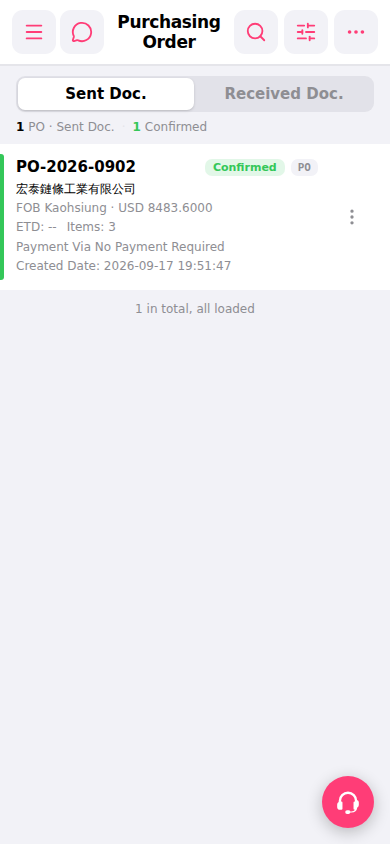 手機版|採購訂單 (Purchasing Order)