
1. Open the Proforma Invoice page (URL format: v5.patisco.com/pi/…). 2. Find and click the "Get Payment Link" button on the page to obtain the link.
You can ask the AI assistant like this: "How do I send a payment link to my customer?" The AI will respond like this: "After clicking 'Get Payment Link,' copy the generated link and send it to your customer via email or messaging software."
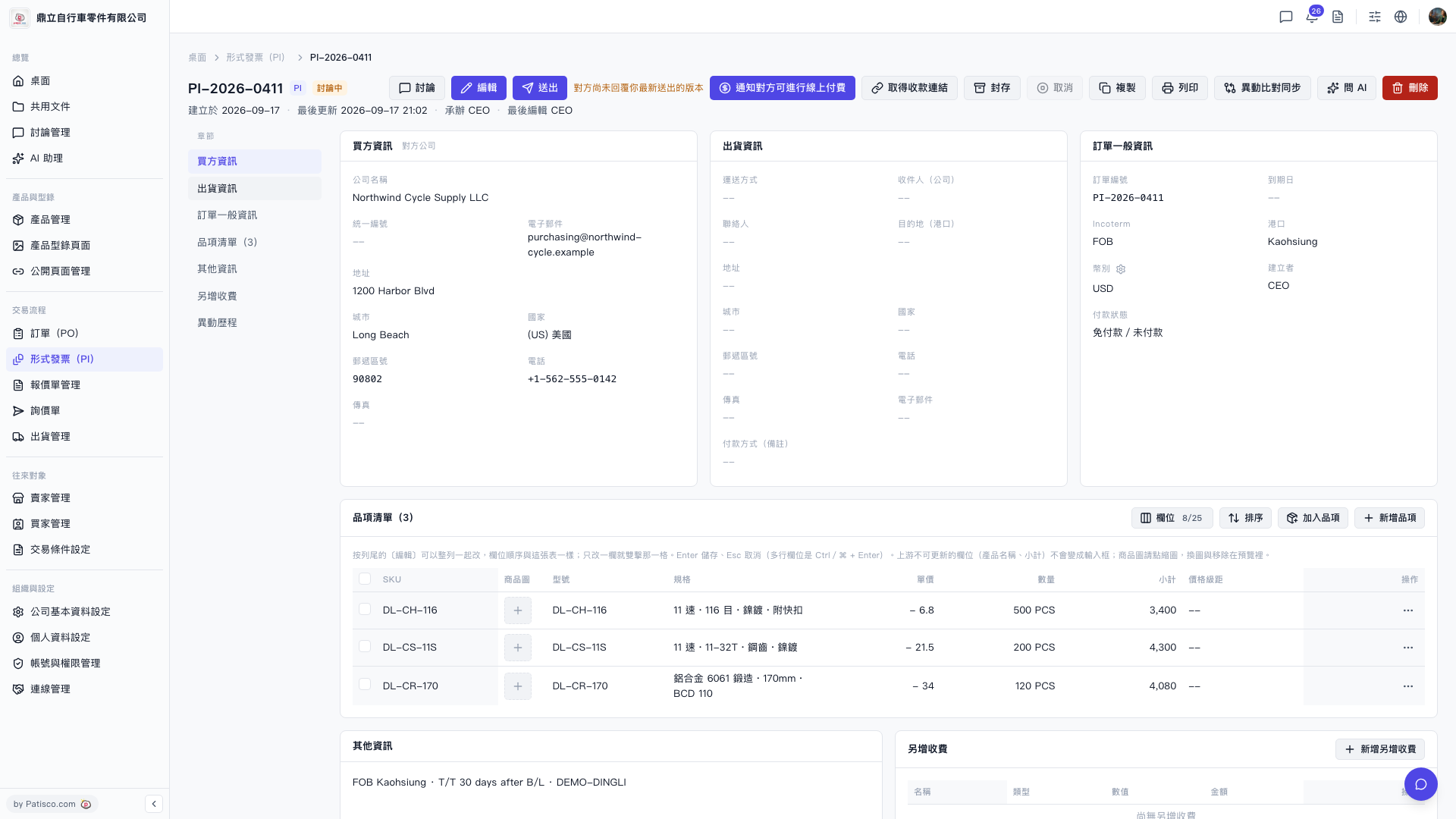 V5 新桌面版|pi.payment.entry