
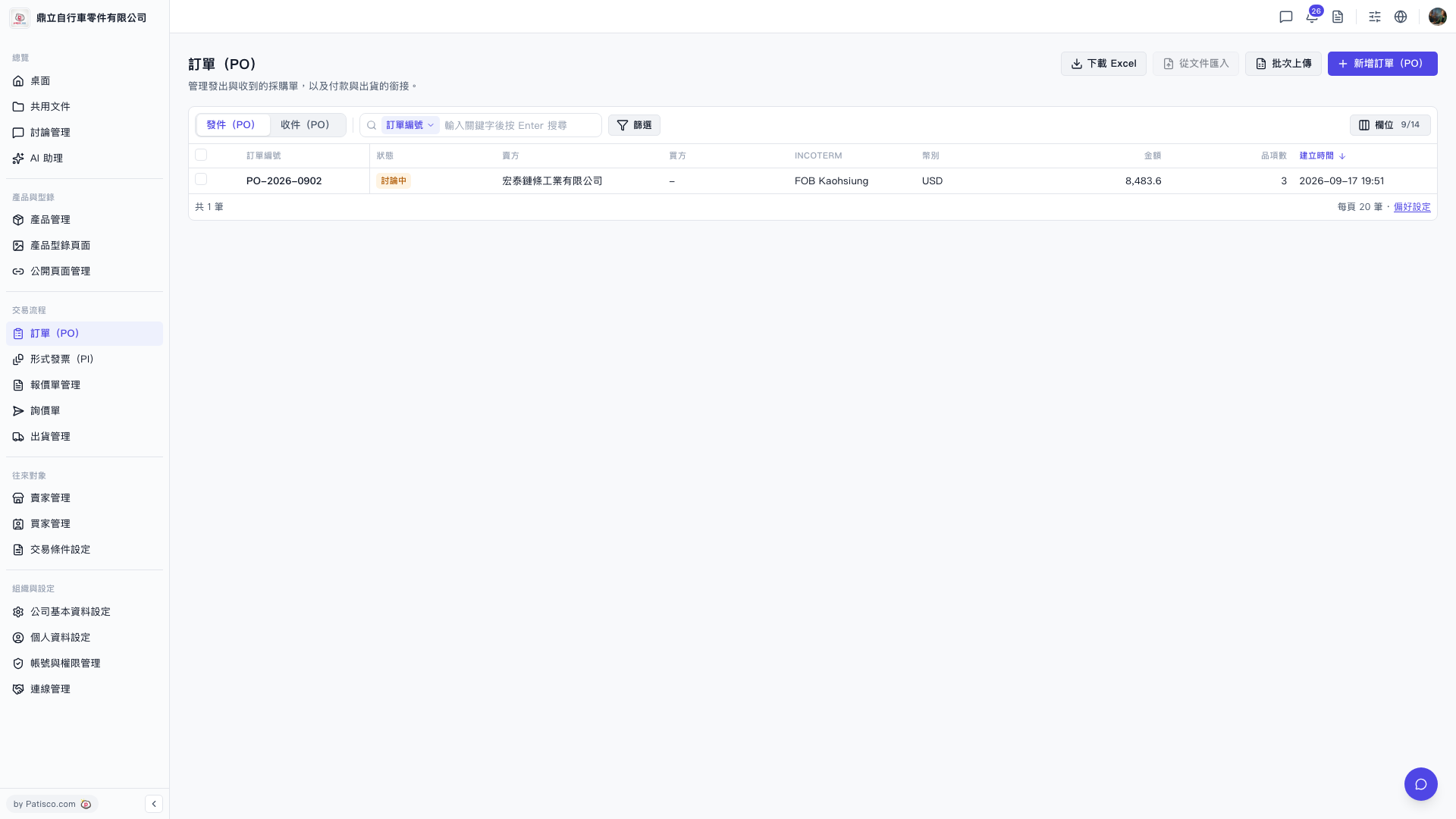
1. Click "PO" in the left sidebar to access the PO list page. 2. The page will display a list of POs by default. Each PO includes the following fields: PO number, status, seller, buyer, INCOTERM, currency, amount, number of items, creation date, and more. 3. Click the "Sent (PO)" tab at the top to view purchase orders sent by your company. Click the "Received (PO)" tab to view orders received by your company. 4. To adjust which columns are displayed in the list, click "Columns 9/14" in the top right corner of the list to customize the items you want to show.
 V5 新桌面版|訂單(PO)