
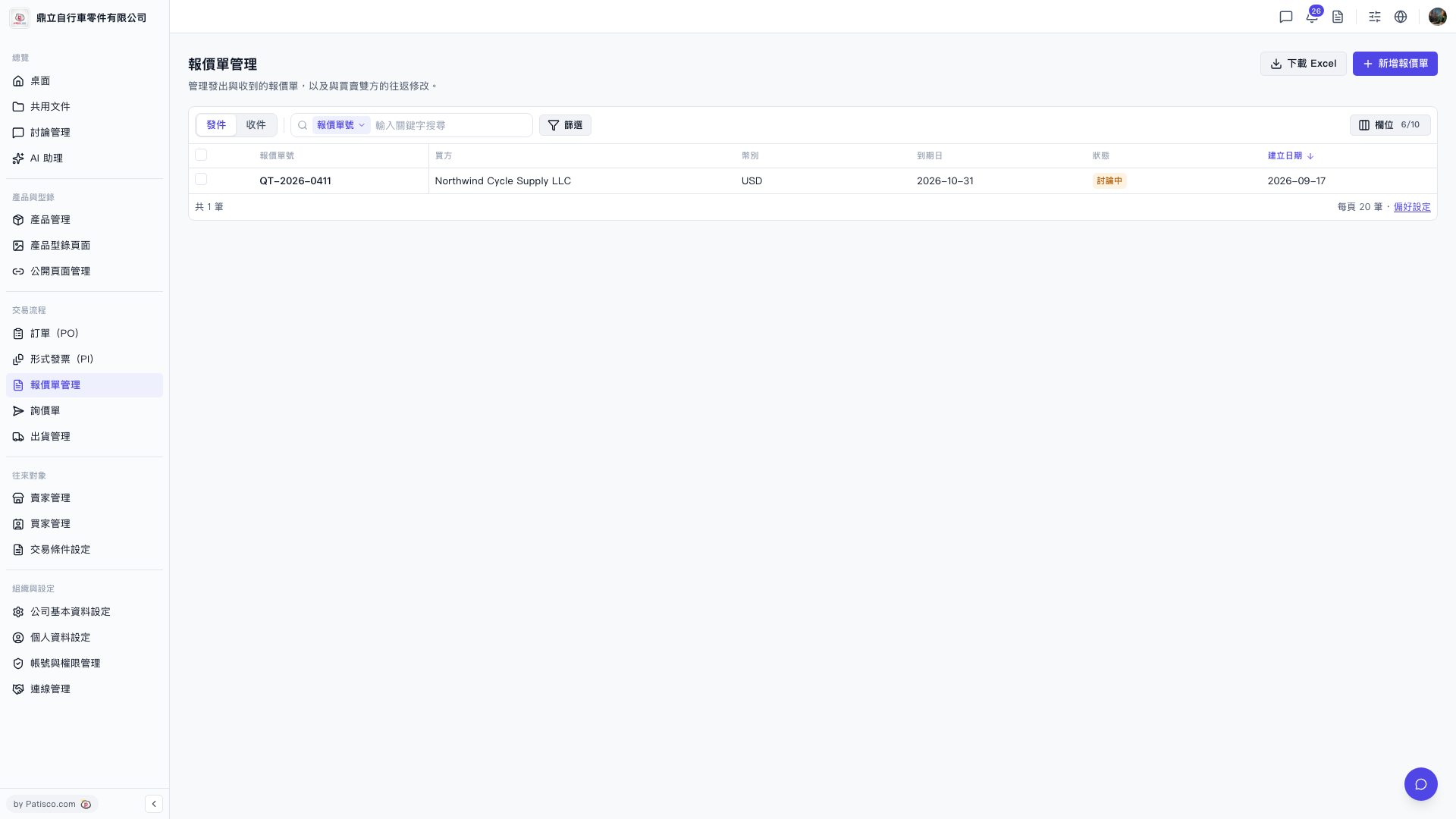
After entering the "Quotation Management" page, you can operate as follows: 1. The page displays the "Sent" tab by default, which shows quotations you have sent. To view received quotations, click the "Received" tab at the top to switch. 2. To search for a specific quotation, you can enter a keyword (such as the quotation number) in the search box, or click the "Filter" button on the right side of the search bar to open the advanced filter panel. 3. Click any data row in the list (for example, QT-2026-0411) to enter the detailed page for that quotation where you can view or edit it. 4. If you need to export data, click the "Download Excel" button in the top right corner to download the current list as an Excel file.
 V5 新桌面版|報價單管理