
1. Tap the hamburger menu (☰) in the top left corner and select Shared Files from the side navigation menu. 2. Once inside, you will see a list of all main folders. Each folder row displays the folder name and labels (for example, Default or item count). 3. Tap the expand arrow (>) on the left side of a folder row to expand it and view subfolders or files.
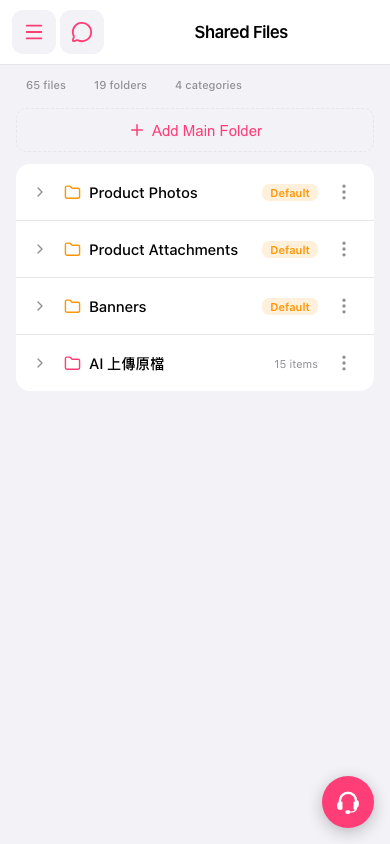 手機版|共享檔案