
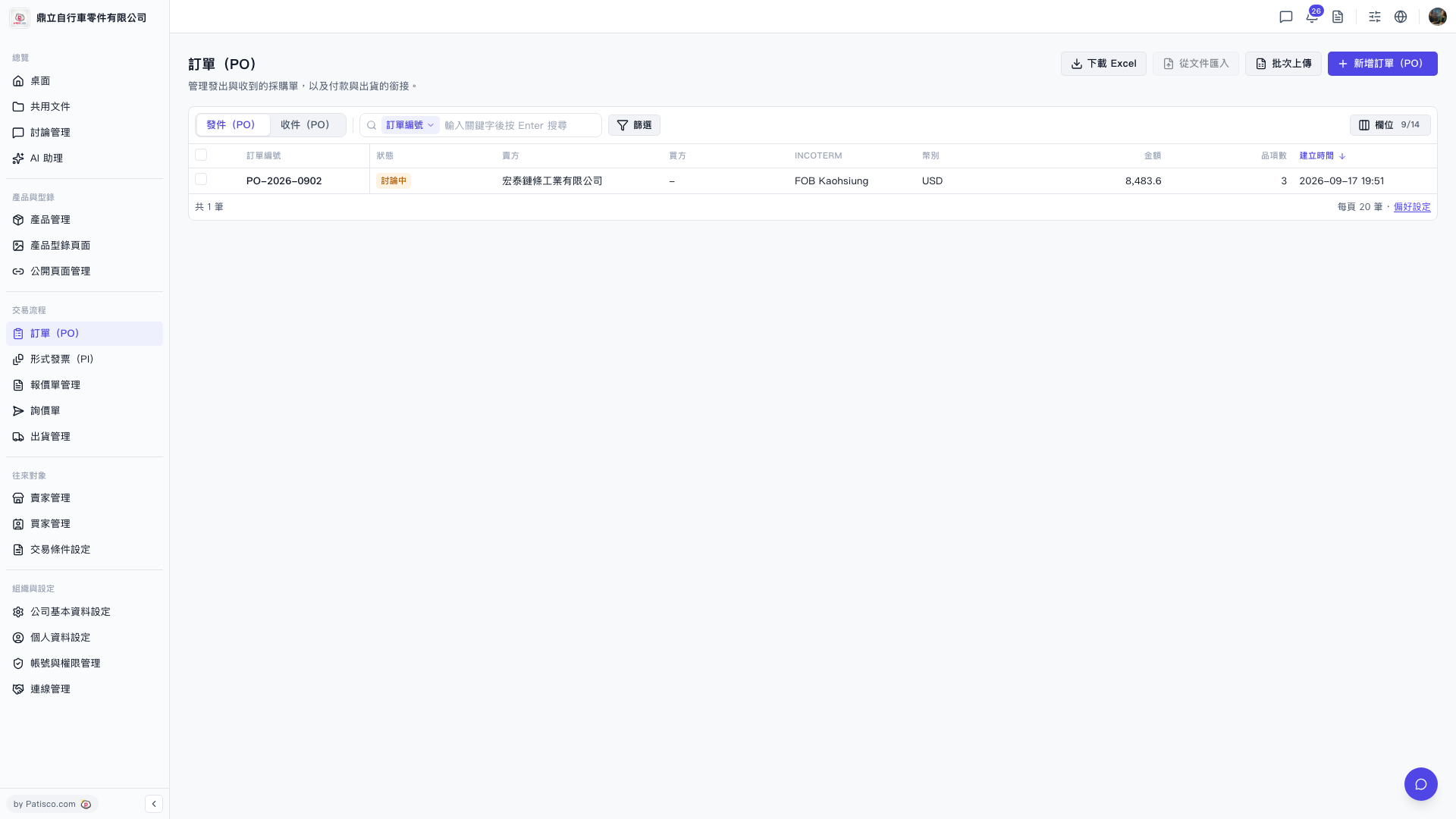
1. Click "PO" in the left sidebar to enter the PO list page. 2. The top of the screen has two tabs: "Outgoing (PO)" displays the POs we have issued, and "Incoming (PO)" displays the POs we have received. Click to switch between them. 3. The list fields include PO number, status, buyer, seller, INCOTERM, currency, amount, number of items, creation time, and other information. 4. The top right corner has four buttons: "Download Excel", "Import from File", "Batch Upload", and "+ New PO". You can use these as needed.
 V5 新桌面版|訂單(PO)