
1. Click "Quotation Management" in the left sidebar to enter the quotation management page. 2. After entering, click the "Outgoing" tab at the top of the list to view quotations we have sent; click the "Incoming" tab to view quotations received from others. 3. To search for a specific quotation, select a condition such as "Quotation Number" in the search box, enter keywords, or click "Filter" to open the condition panel for more detailed filtering. 4. Click any quotation row in the table to open the detailed content of that quotation for viewing or editing. 5. When you need to add a new quotation, click the "+ New Quotation" button in the top right corner, fill in the required fields, and save. 6. If you need to export the current list, click the "Download Excel" button in the top right corner to get the file.
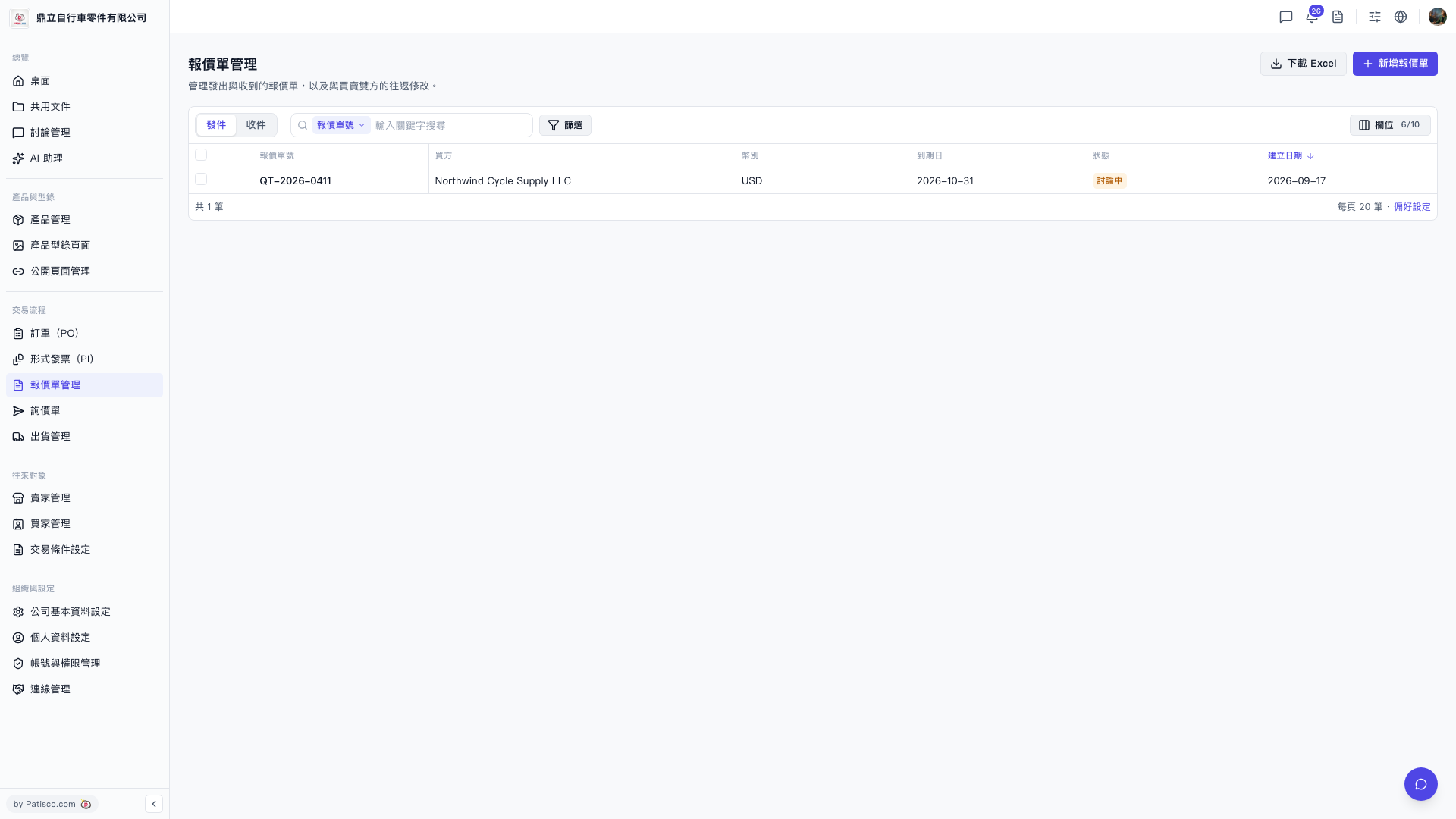 V5 新桌面版|報價單管理