
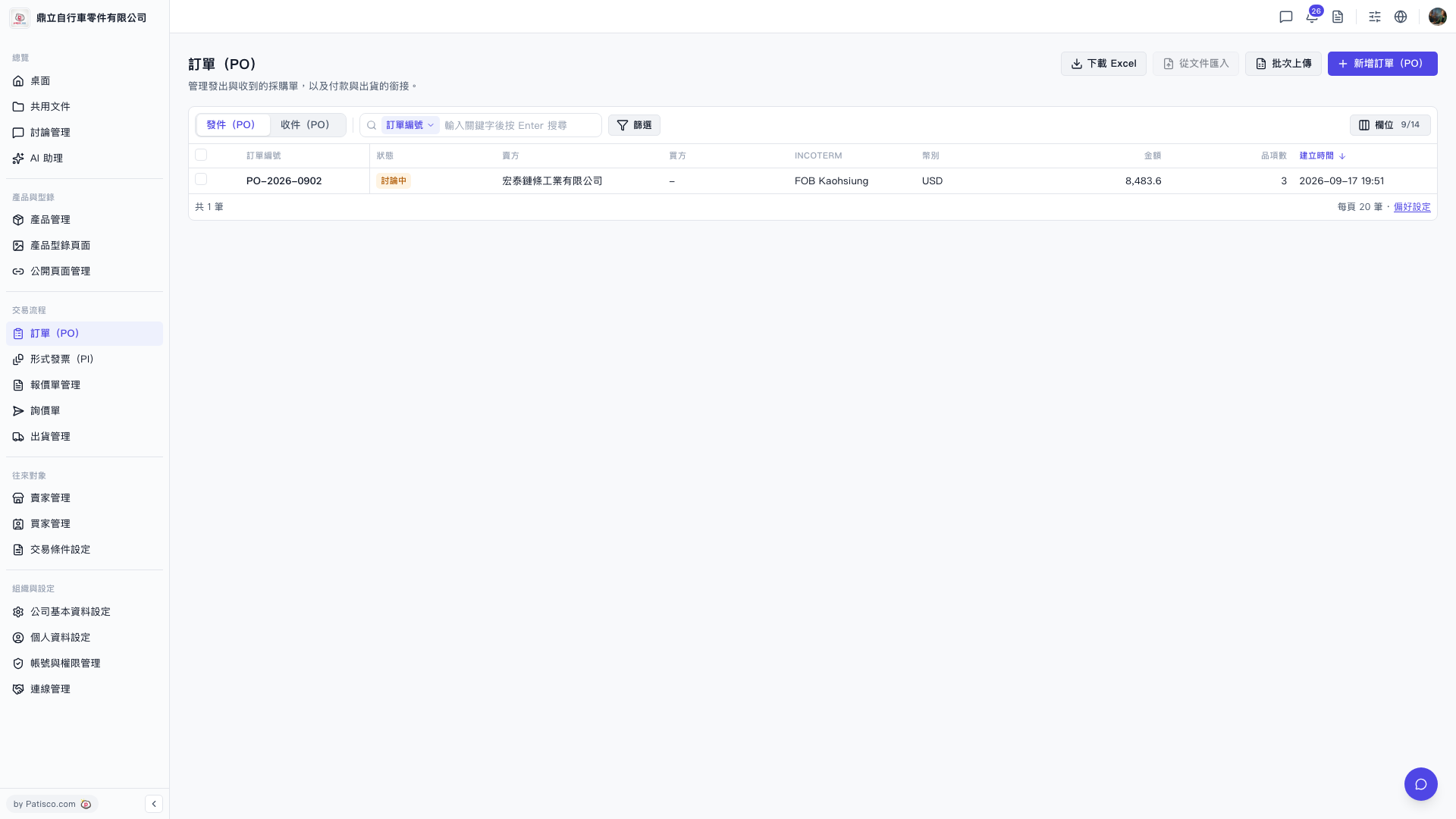
1. Click "PO" in the "Trading Process" section in the left sidebar to enter the PO list page. 2. The top right of the page provides four main operations: "Download Excel" (export the current list), "Import from File" (batch import from external files), "Batch Upload" (upload multiple records at once), and "+ New PO" (create a single new PO). 3. There are two tabs above the list: "Sent (PO)" shows the purchase orders sent by your company; "Received (PO)" shows the purchase orders received by your company. Click the tab to switch between them. 4. The list columns include PO number, status, buyer, seller, INCOTERM, currency, amount, number of items, creation time and other information. Click any row to enter the detail page to view or edit.
 V5 新桌面版|訂單(PO)