
1. In the left sidebar, click "Trade Flow > PO", then open the PO you want to send. 2. Use the "Sections" navigation on the left (Seller Info, Shipping Info, PO General Info, Item List, etc.) to check the contents of each section. 3. If there are additional charges, go to the "Additional Charges" section at the bottom right and click "Add Additional Charge". 4. Once everything is correct, click "Send" on the toolbar at the top right. The PO will be sent to the other party (the seller). 5. After sending, if you see "The other party has not yet replied to your latest sent version", it means they have not replied to the most recent content you sent. If you need to communicate, click "Discussion" to open a discussion for this PO.
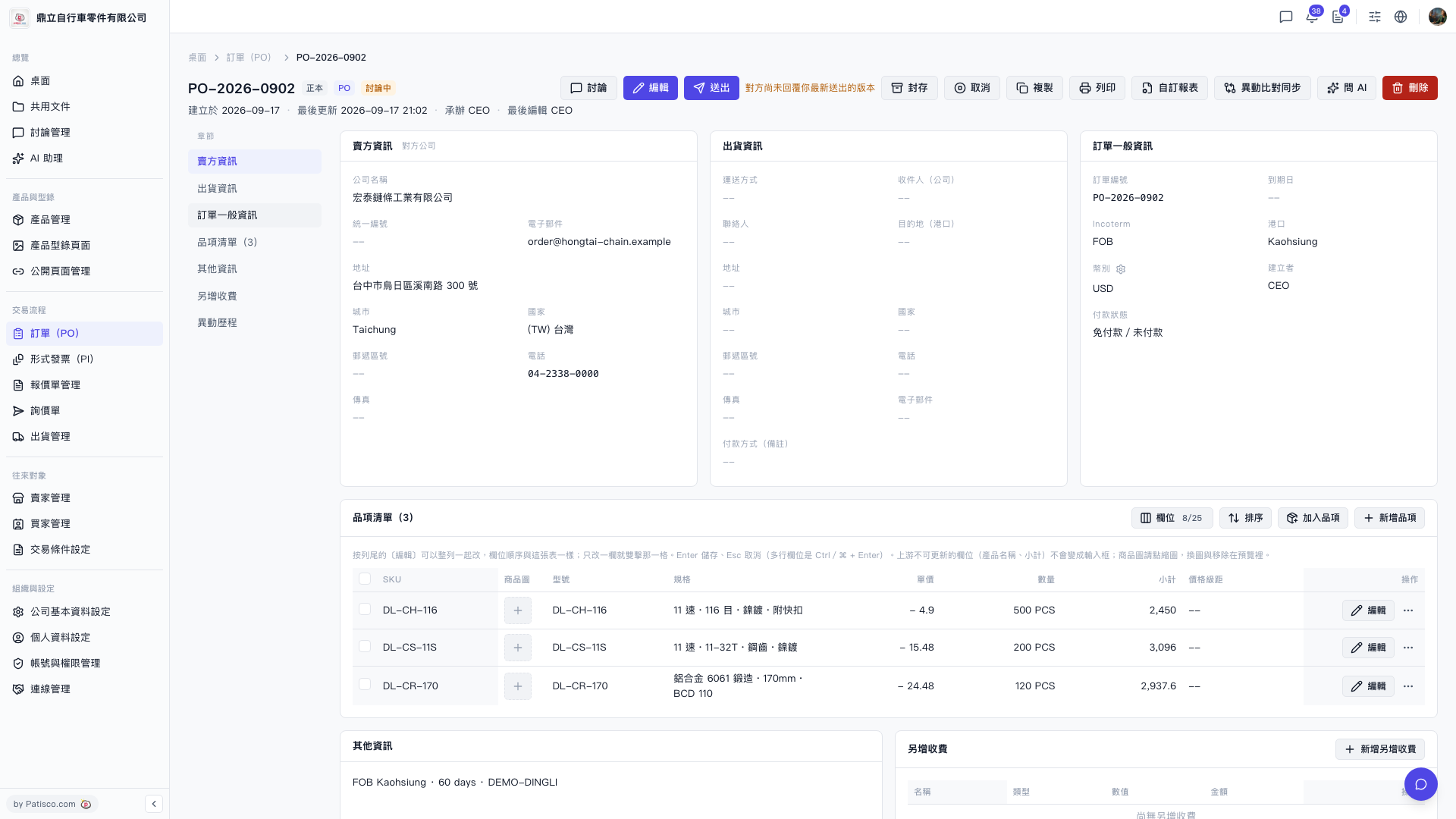 V5 新桌面版|PO-2026-0902(訂單詳情)