
1. In the left sidebar, click "Product Management" under "Products & Catalogs" to open the "Product Management" page. 2. Use the filter bar above the list to find the target product: narrow the results with the "All statuses" and "All groups" dropdowns, or type a keyword (product name) in the search box and press Enter. 3. On the right side of that product's row, click "Edit" to open the product's edit view and details. 4. Change the product name, SKU, model, category, etc., then save.
Tip: If you can't see a column you want on the list (such as category, group, or created time), click "Columns 8/12" at the top right of the list and choose which columns to show.
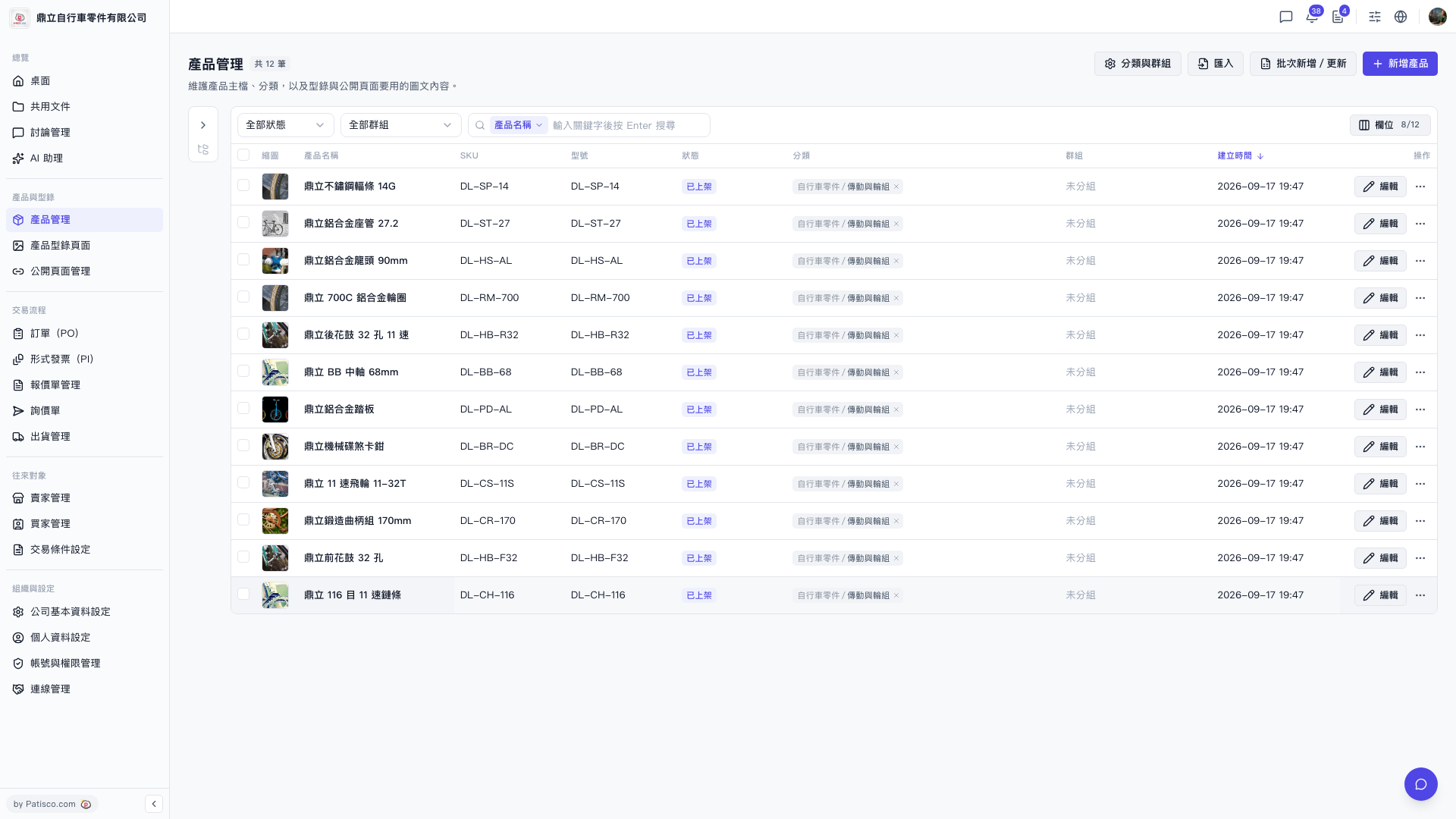 V5 新桌面版|產品管理