
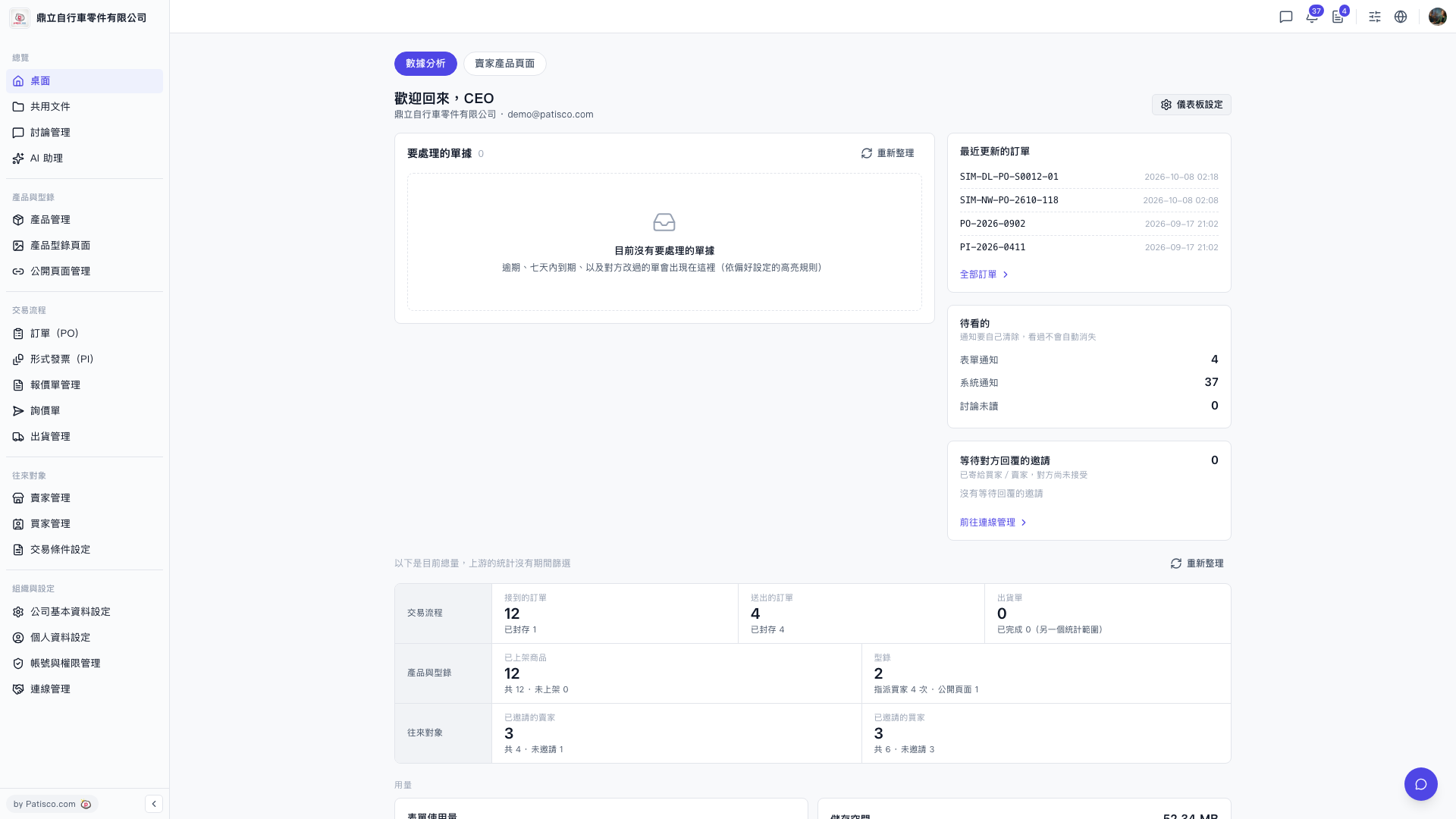
1. After logging in, you arrive at the "Desktop" (the page title shows a welcome message such as "Welcome back, CEO"). 2. First look at the "Documents to handle" card to check for documents that are overdue, due within seven days, or modified by the other party. 3. If the numbers look wrong, or you want to see the latest status, click "Refresh" at the top right of the "Documents to handle" card. 4. Next, look at "To review", which shows the counts of form notifications, system notifications, and unread discussions. Handle them one by one.
 V5 新桌面版|桌面(歡迎回來,CEO)