
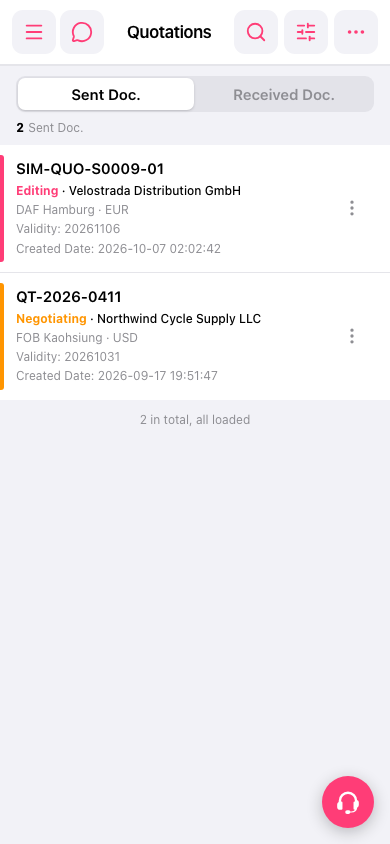
1. Open the mobile browser and navigate to the Quotations management page. 2. After entering, the "Sent Doc." (sent quotations) list will be displayed by default. In the list, you can see the quotation number, status, buyer name, trading condition and location, currency, expiration date, and creation date for each quotation. 3. Click on any quotation to enter the detailed page of that quotation and view the complete content.
 手機版|報價單管理