
1. To search for a specific quotation, click the "Search icon" (magnifying glass) on the right side of the top navigation bar, enter keywords (such as quotation number or buyer name) to find it. 2. To filter by conditions, click the "Filter icon" on the right side of the top navigation bar, set filter conditions (e.g., status, date) and apply. 3. To perform quick actions like edit, copy, or delete on a specific quotation, click the "⋮" icon on the right side of that quotation in the list and select the corresponding action from the menu. 4. To view received quotations, click the "Received Doc." tab on the right side of the top of the page to switch the list.
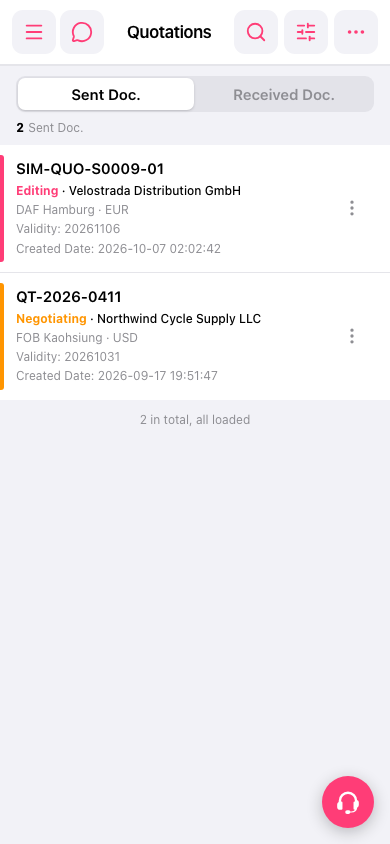 手機版|報價單管理