
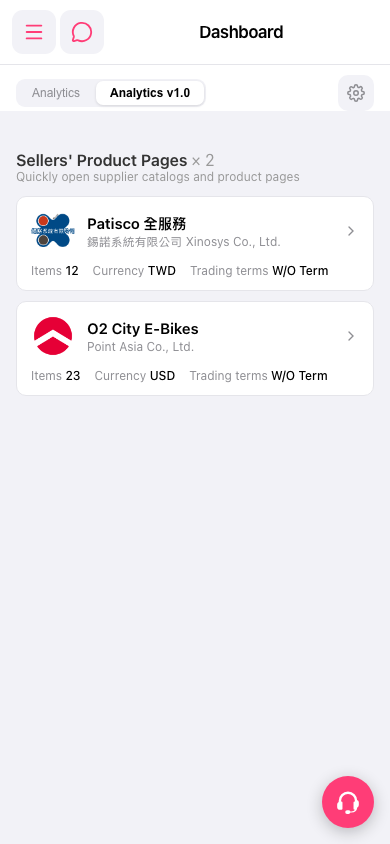
1. Open Patisco on mobile and enter Dashboard. The system automatically displays the "Analytics v1.0" tab content. 2. Scroll down to find the "Sellers' Product Pages" section, which currently shows 2 sellers: "Patisco 全服務" and "O2 City E-Bikes". 3. Click the arrow (→) on the right side of any seller entry to directly access that seller's product catalog page.
 手機版|Dashboard