
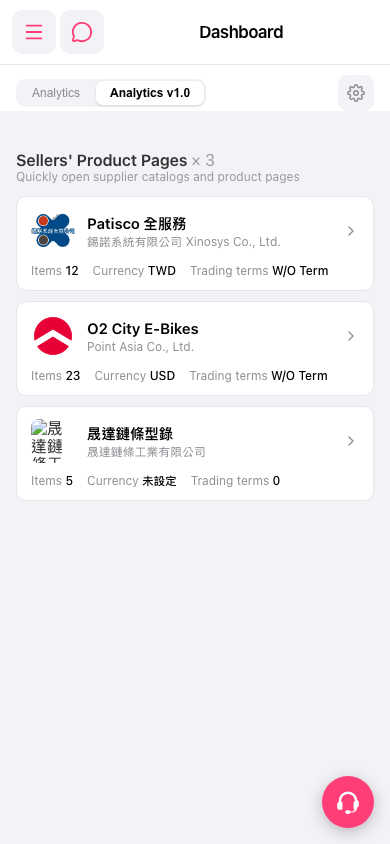
1. Find the seller you want to view in the "Sellers' Product Pages" section of the "Dashboard". There are currently 3 cards: "Patisco Full Service", "O2 City E-Bikes", and "Sheng Da Chain Catalog". 2. Check the company name, Items (number of items), Currency, and Trading terms on the card. 3. Tap the seller's card or the arrow on the right to open the corresponding product pages or catalog.
 手機版|Dashboard