
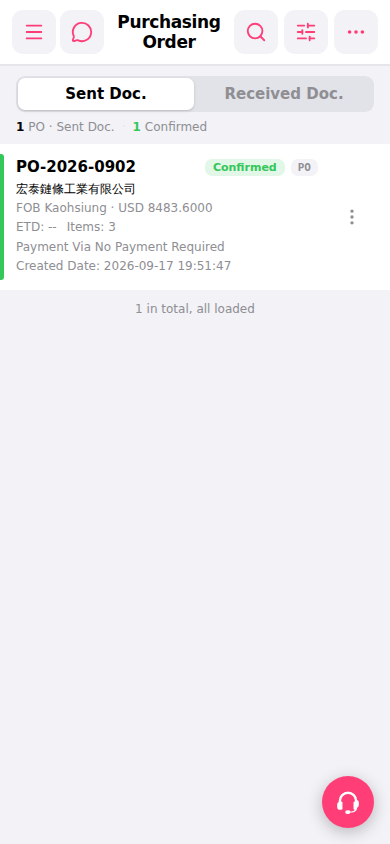
1. Open your mobile browser and navigate to the purchase order page. The system displays the "Sent Doc." (Sent Documents) tab by default. 2. To view purchase orders sent by the other party, click the "Received Doc." tab on the right side of the tab bar at the top. 3. In the list, you can directly see a summary of each PO including PO number, supplier name, currency and amount, ETD, and status. 4. Click on a PO card to enter the complete PO detail page. 5. To perform operations such as viewing or editing a single PO, click the "⋮" icon on the right side of that PO row to expand the action menu and select the desired function.
 手機版|Purchasing Order(採購訂單)