
1. Search: Click the magnifying glass icon in the top right navigation bar and enter a keyword (such as PO number or supplier name) to search. 2. Filter: Click the adjustment icon in the top right navigation bar to set filter conditions (such as status or date range) and apply them to narrow down the list. 3. For more operation options, click the "⋯" icon in the top right to expand. 4. If you encounter any issues, you can also click the support icon (headphone icon) in the bottom right to contact customer service.
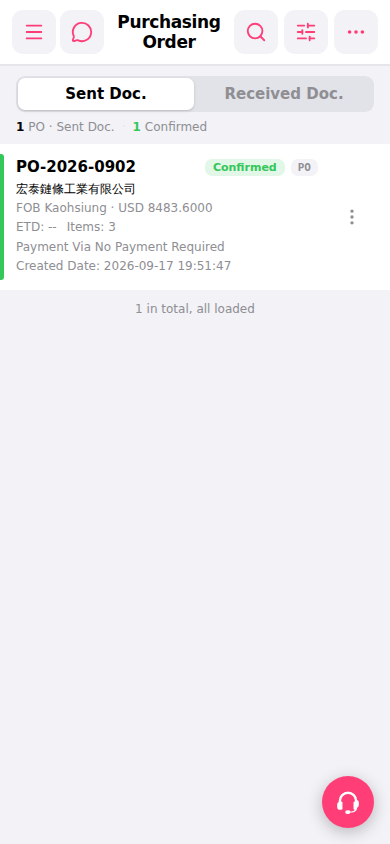 手機版|Purchasing Order(採購訂單)