
1. After opening the mobile version of Patisco, select the Quotations page from the bottom navigation or menu (URL: mobile.patisco.com/main/quo). 2. After entering, the "Sent Doc." tab is displayed by default, showing the quotations you have sent. Each record includes fields such as quotation number, status, customer name, trading terms, currency, validity period, and creation date. 3. To view received quotations, click the "Received Doc." tab on the right side of the tab bar at the top of the page.
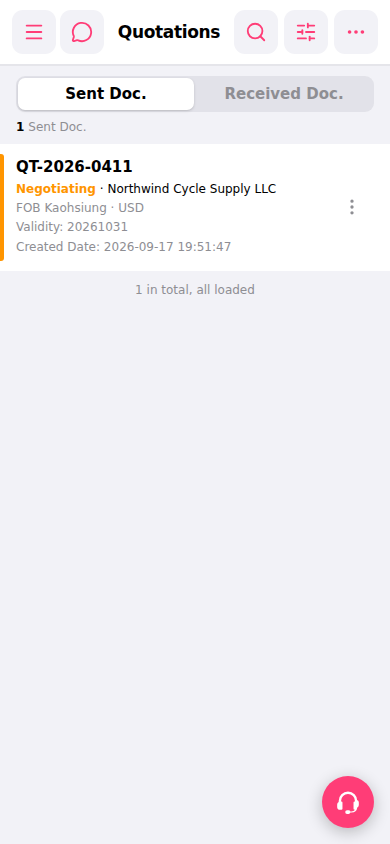 手機版|報價單管理(Quotations)