
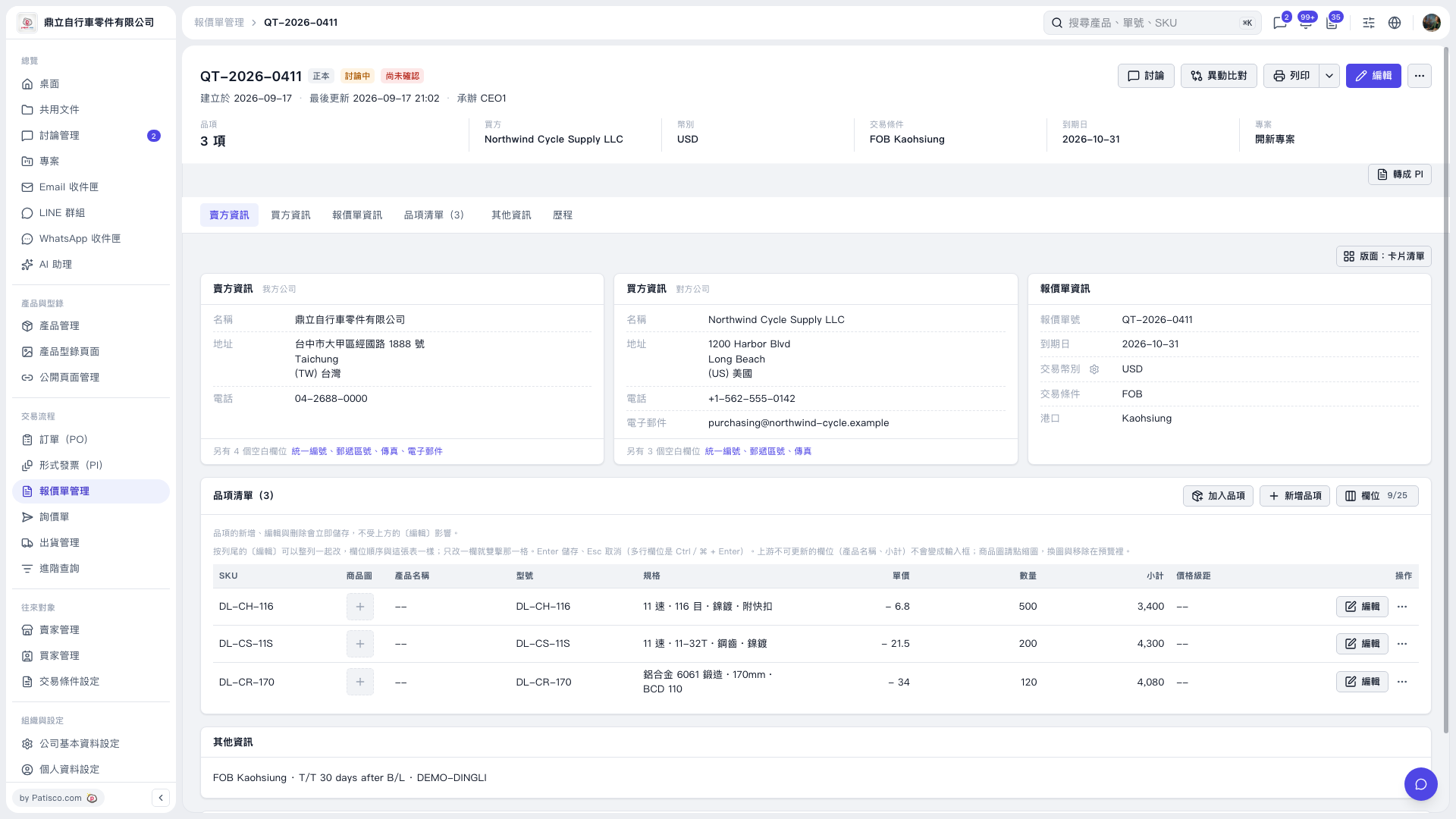
1. Open the quotation and check the buyer, seller, currency, trading conditions, and expiration date. To update the basic details, click "Edit" in the upper-right corner. 2. Switch to "Item list (3)". Click "Add item" to select an existing item, or click "Create item" to create a new one. 3. Click "Edit" on the right of each item to change its details. You can also double-click an editable field to change it, then press Enter to save or Esc to cancel. For multiline fields, press Ctrl/⌘ + Enter to save. Adding, editing, and deleting items are all saved immediately. 4. Check each item's unit price, quantity, and subtotal, and review "Other information".
 V5 新桌面版|QT-2026-0411