
1. Confirm you are currently on the "Seller Product Pages" tab. 2. Find the seller card you want to view (for example, Xinosys Co., Ltd.). 3. Click the red link "查看產品頁面" (View Product Page) at the bottom right of the card to enter that seller's complete product page. 4. If you need other operations such as edit or delete, click the "≡" icon in the top right corner of the card, then select the corresponding function from the expanded options menu. 5. The bell icon in the top right corner displays 25 unread notifications; click it to view the latest business alerts.
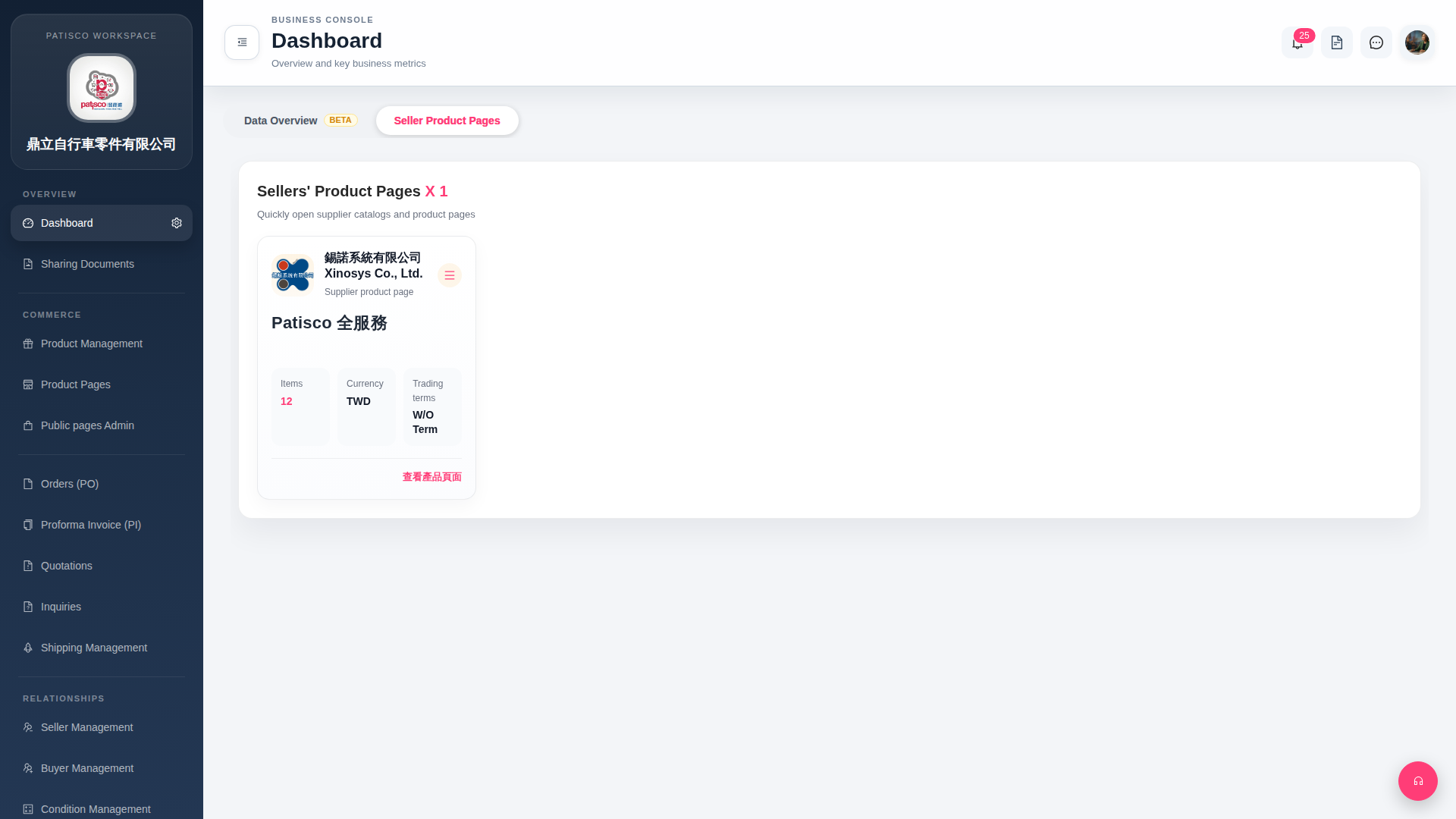 G4 桌面版|Dashboard