
1. On the "Shared Files" page, find the folder you want to view. 2. Click the ">" expand arrow on the far left of the folder row to expand and view the subfolders or files inside. 3. To perform other operations on the folder (such as rename or delete), click the "⋮" icon on the far right to open the action menu.
Tip: Folders marked "Default" are system default folders. The number displayed on the label (such as "10 items") indicates the number of items in the folder.
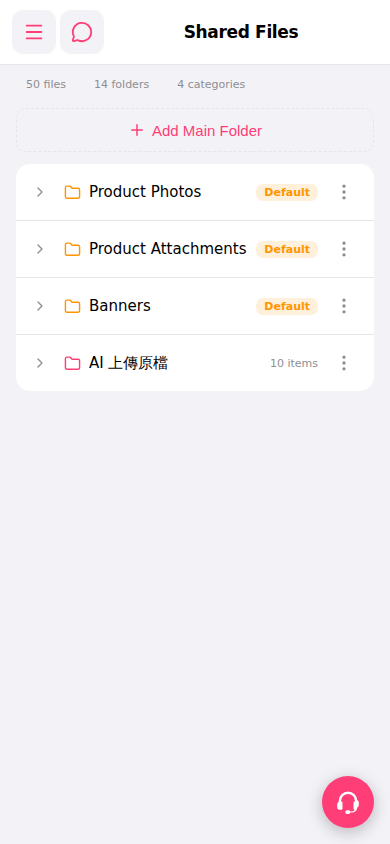 手機版|Shared Files(共享檔案)