
1. First, review the Change Summary (the other party's version compared with our current content) at the top to check added and deleted items and differences in amounts. 2. Compare the Our Side and Other Party sections below, checking details such as Estimated Time of Departure (ETD), Currency, and Trading Terms. 3. Scroll down to view the remaining comparison content and available actions. The current screen does not show a button for applying changes. 4. To return to the PO page, tap Cancel in the upper-left corner.
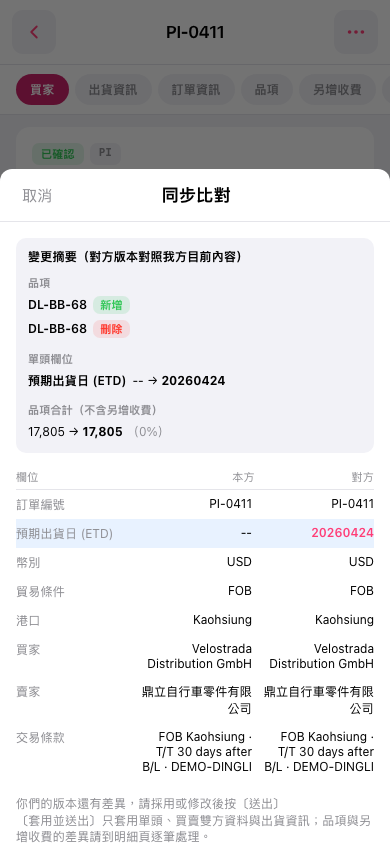 手機版|同步比對