
Creating a new quotation: 1. On the quotation list page, click the "+ New Quotation" button in the top right corner. 2. Fill in the relevant fields and save to create a new quotation.
Opening an existing quotation: 1. Find the quotation you want to view in the list and click directly on the quotation number in that row (e.g., QT-2026-0411). 2. You will enter the detail page of that quotation to view or edit it.
Supplemental note: If you need to export list data, click "Download Excel" in the top right corner to download the file. If you want to adjust which columns are displayed in the table, you can click "Columns 6/10" in the top right corner for customization.
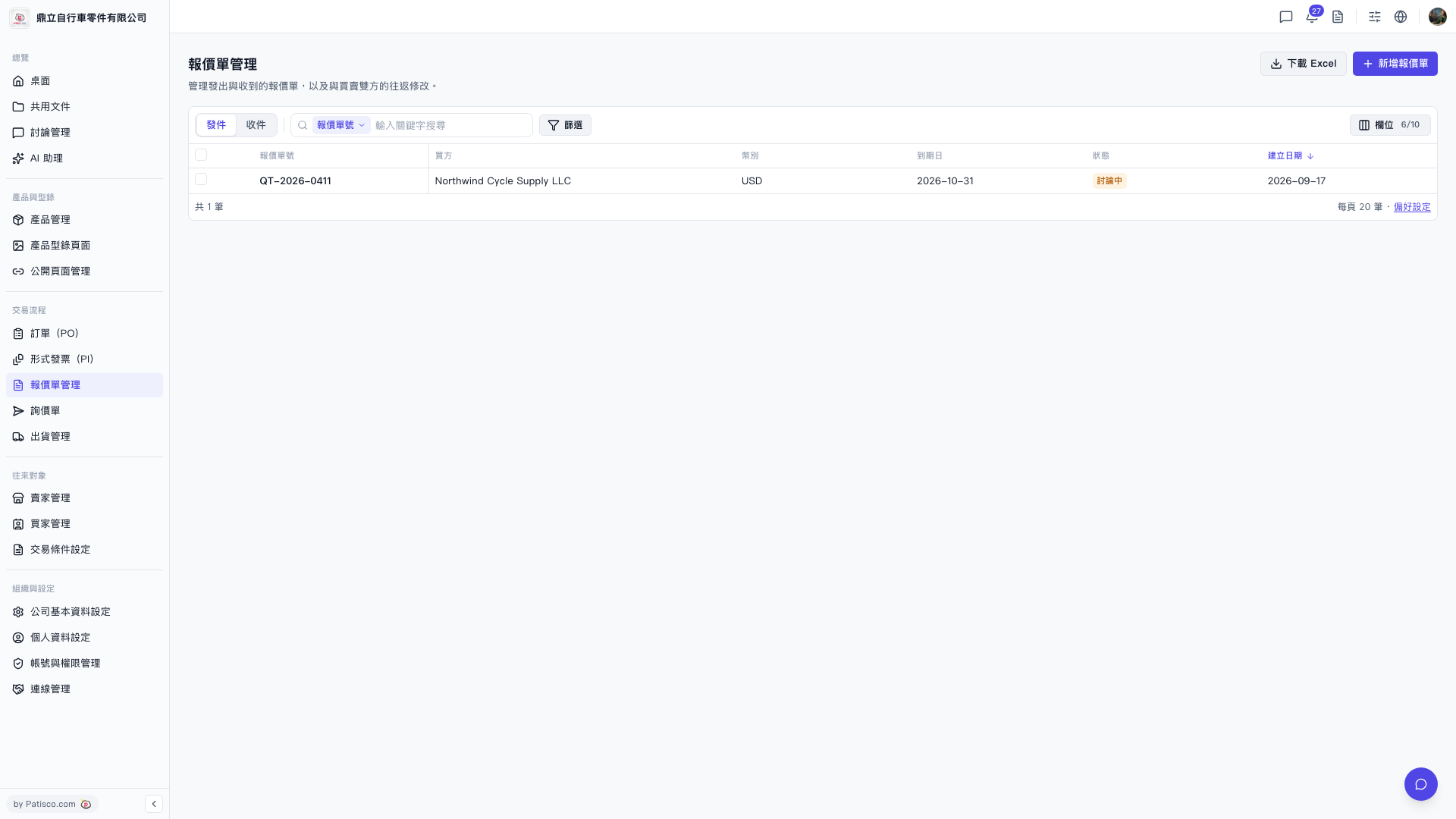 V5 新桌面版|報價單管理