
1. On the quotation details page, click “Edit” in the upper-right corner to edit the quotation’s basic information. 2. To modify an item, click “Item List (3)”, then click “Edit” on the right side of that item. 3. To add an existing item, click “Add Item”. To create a new item, click “New Item”. 4. Check each item’s specifications, unit price, quantity, and subtotal. Item additions, edits, and deletions are saved immediately and are independent of “Edit” in the upper-right corner of the page.
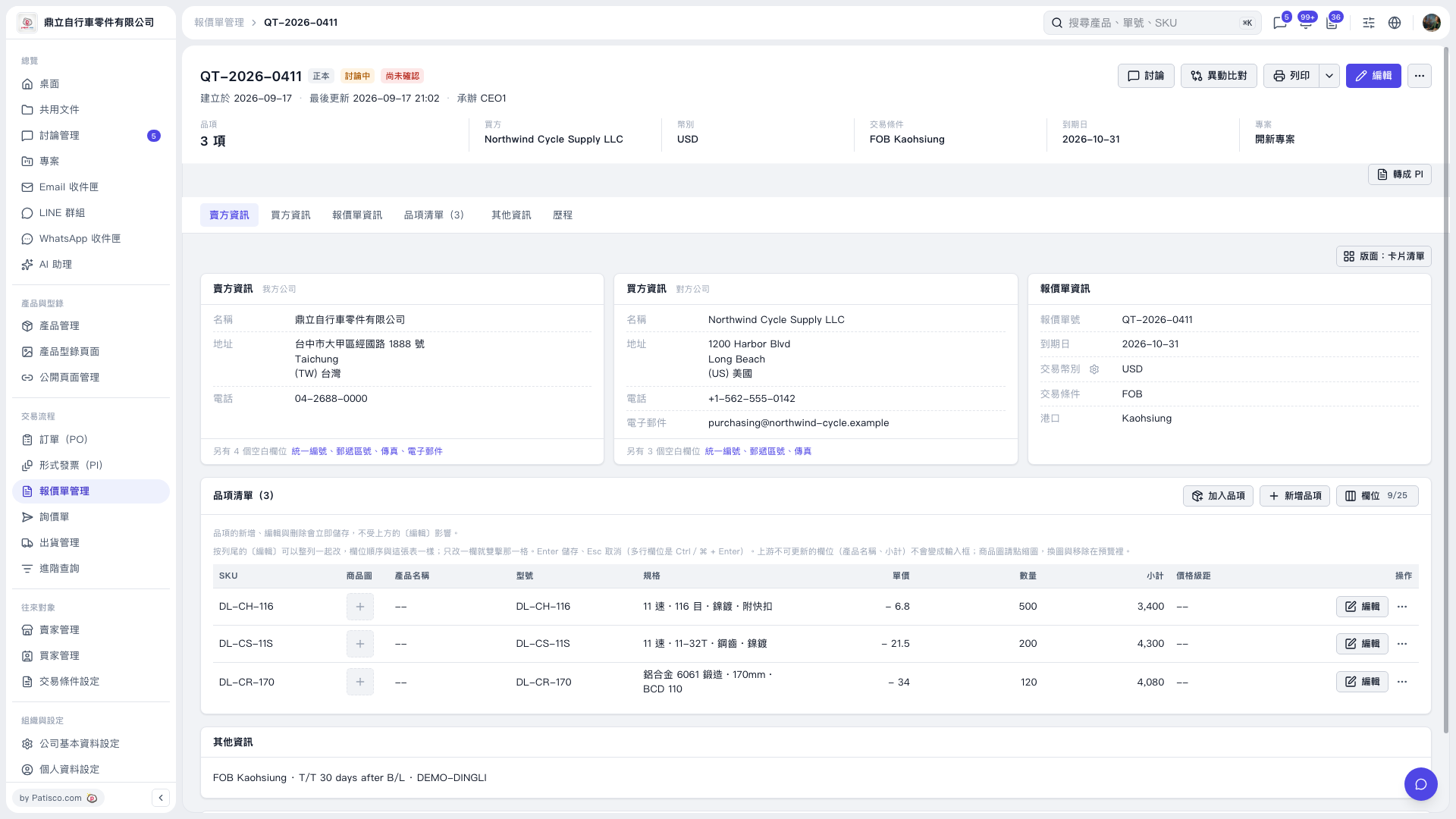 V5 新桌面版|報價單詳情 QT–2026–0411