
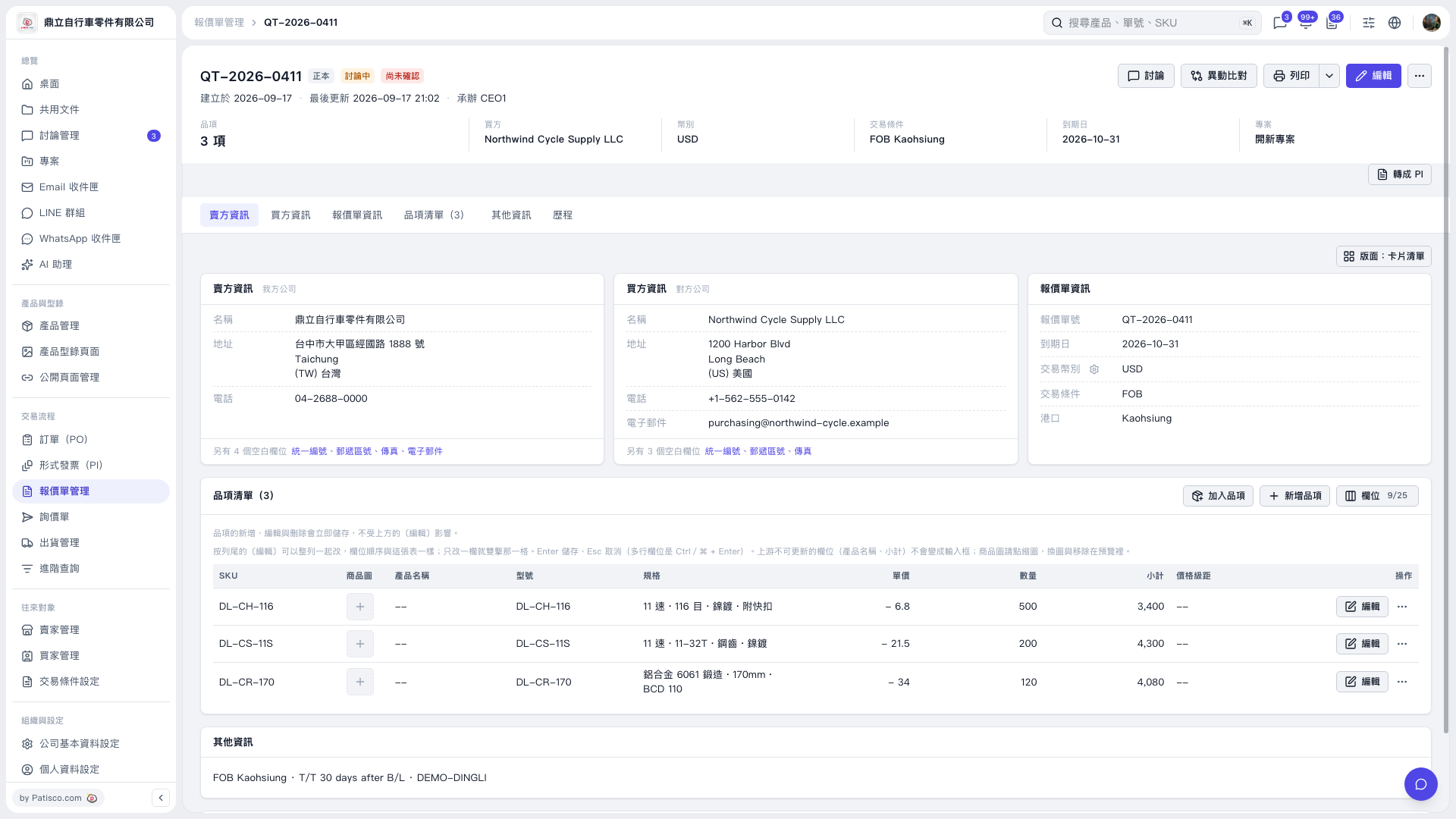
1. Open the quotation and check the buyer, transaction currency, trading conditions, expiration date, and each item’s unit price, quantity, and subtotal. 2. To print the quotation, click “Print” in the upper-right corner. You can also open the dropdown menu next to it to view the available options. 3. To convert the quotation to a Proforma Invoice (PI), click “Convert to PI” at the lower right of the summary section to start the conversion process.
 V5 新桌面版|QT–2026–0411