
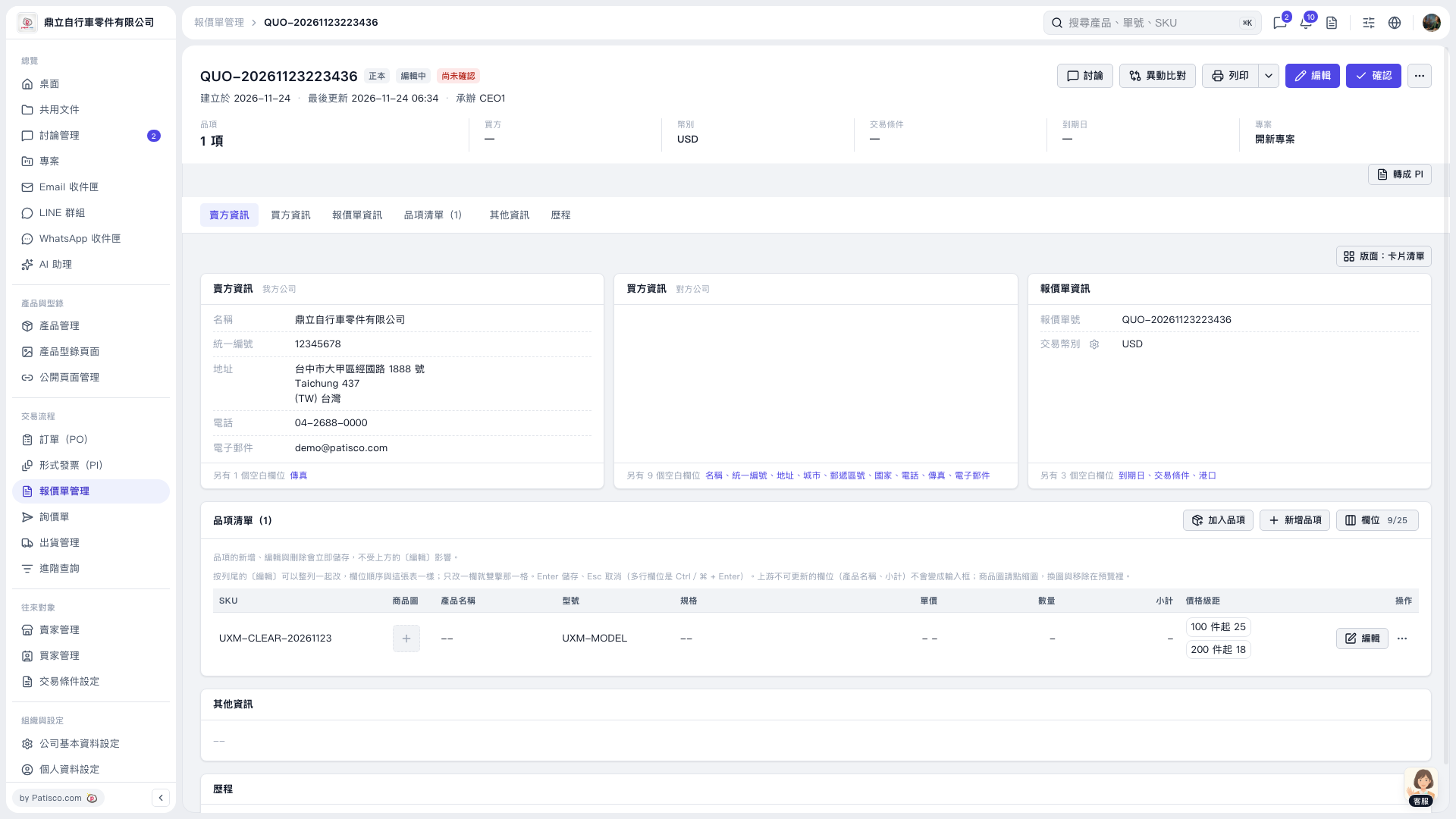
1. Open the quotation you want to print, and check the quotation number, seller, buyer, and the items in the item list. 2. If you need to make changes, click "Edit" at the top right, or "Edit" on the right side of the item row. 3. Click "Print" at the top right to open the print preview. To see other options, click the dropdown arrow next to it. 4. Check the quotation content and layout in the print preview, then finish the output in the print dialog.
 V5 新桌面版|QUO-20261123223436