
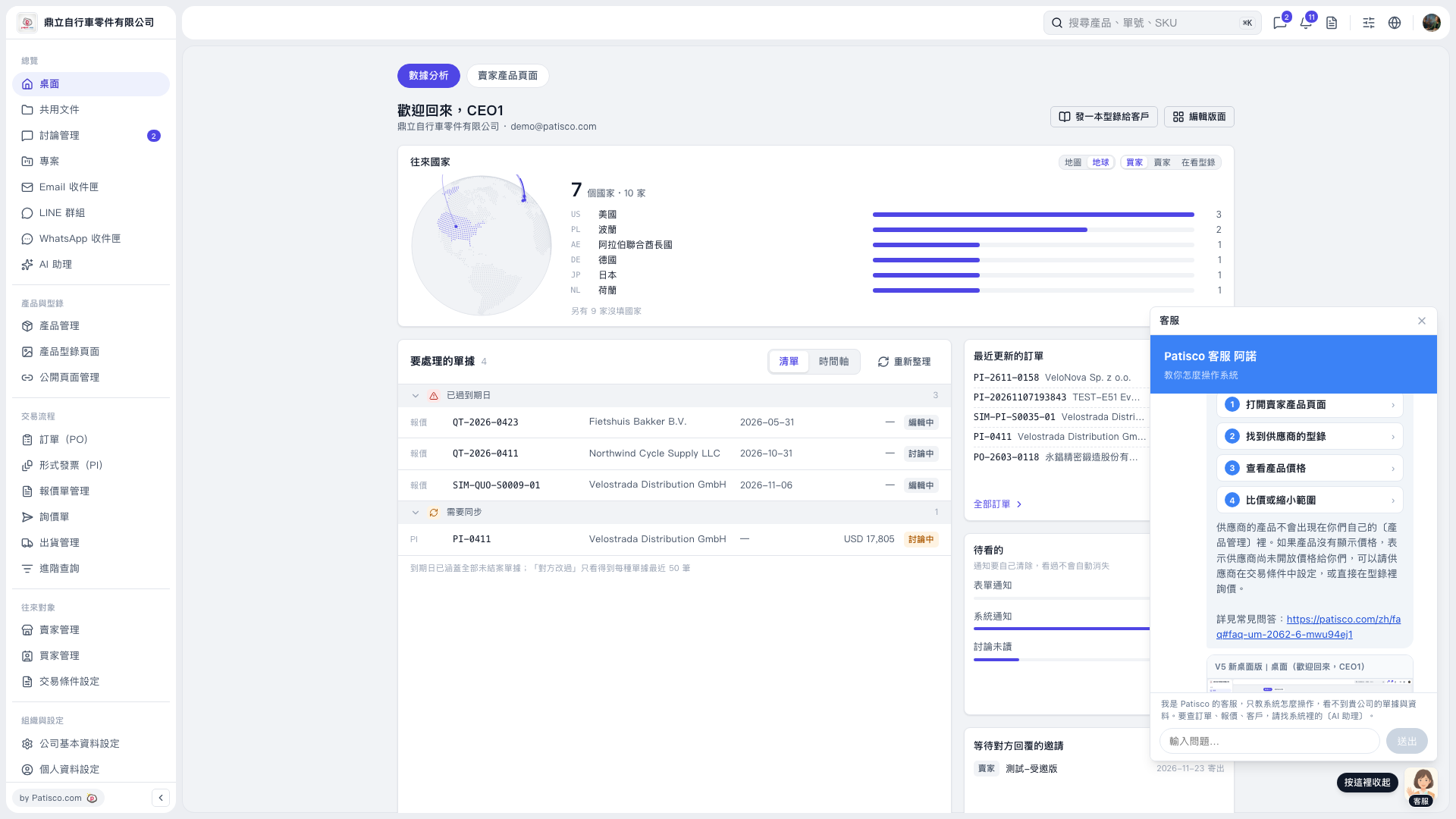
1. After logging in to V5, click "Desktop" in the left sidebar. 2. Among the tabs at the top of the page, click "Seller Product Page" on the right. 3. Find the supplier's catalog. 4. View the product prices, and compare prices or narrow down the results if needed. You can ask Support like this: "How do I view a supplier's product prices?" Arno will reply: this takes 4 steps in total, in order: open the Seller Product Page, find the supplier's catalog, view the product prices, and compare prices or narrow down the results. A supplier's products do not appear in your own [Product Management]. If a product shows no price, it means the supplier has not yet made prices available to you. You can ask the supplier to set it in Trading Condition Setting, or ask for a price directly in the catalog.
 V5 新桌面版|桌面(歡迎回來,CEO1)