
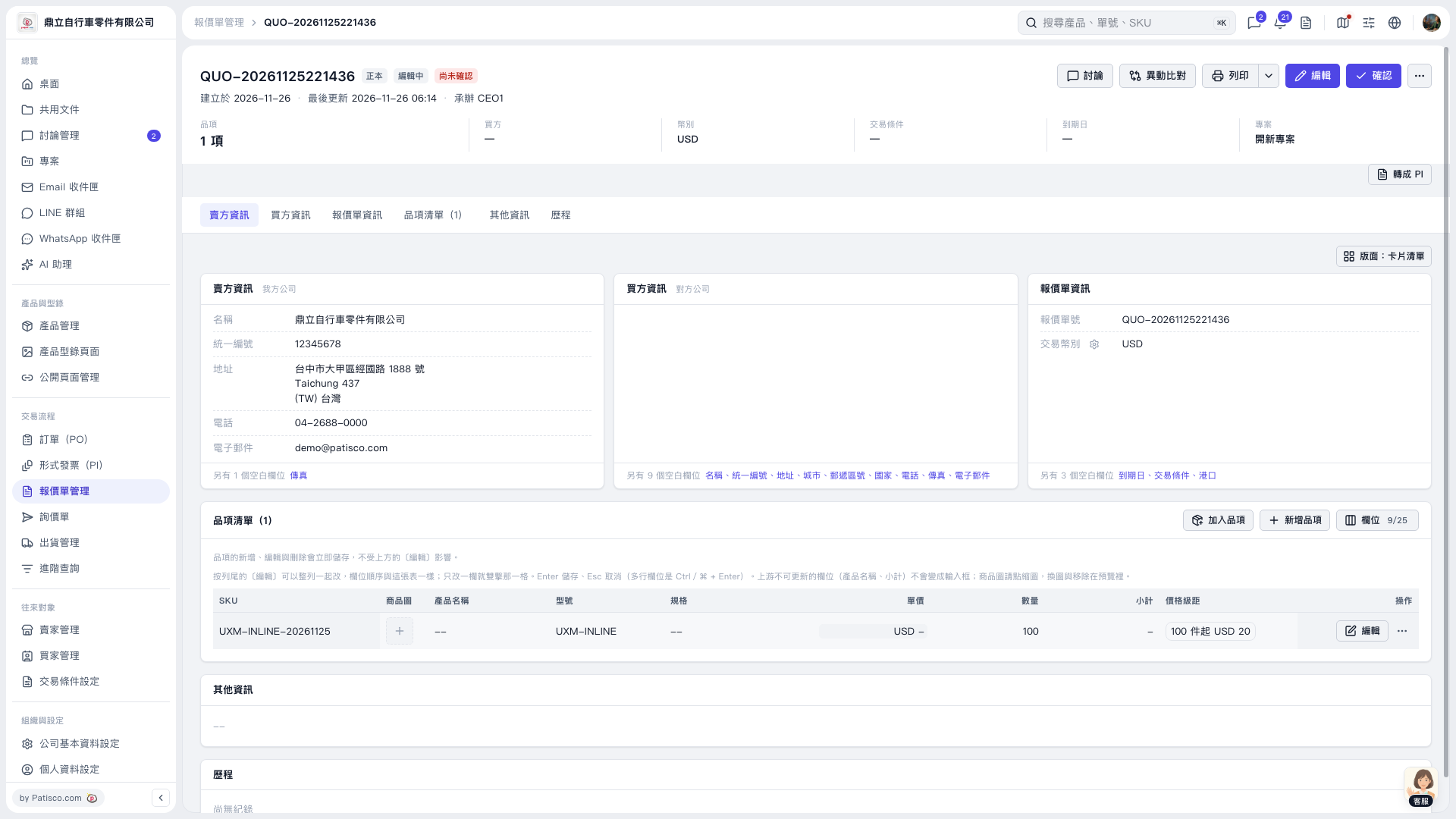
1. Find the item you want to change in the "Item list" and click its "Unit price" cell. 2. Enter the new unit price. To clear the unit price, delete the value in the cell. 3. Press Enter to save or Esc to cancel. Item changes are saved immediately, regardless of the "Edit" state at the top. 4. Check "Unit price" and "Subtotal". After the unit price is cleared, the unit price displays the currency followed by "–", and the subtotal displays "–".
 V5 新桌面版|QUO-20261125221436