
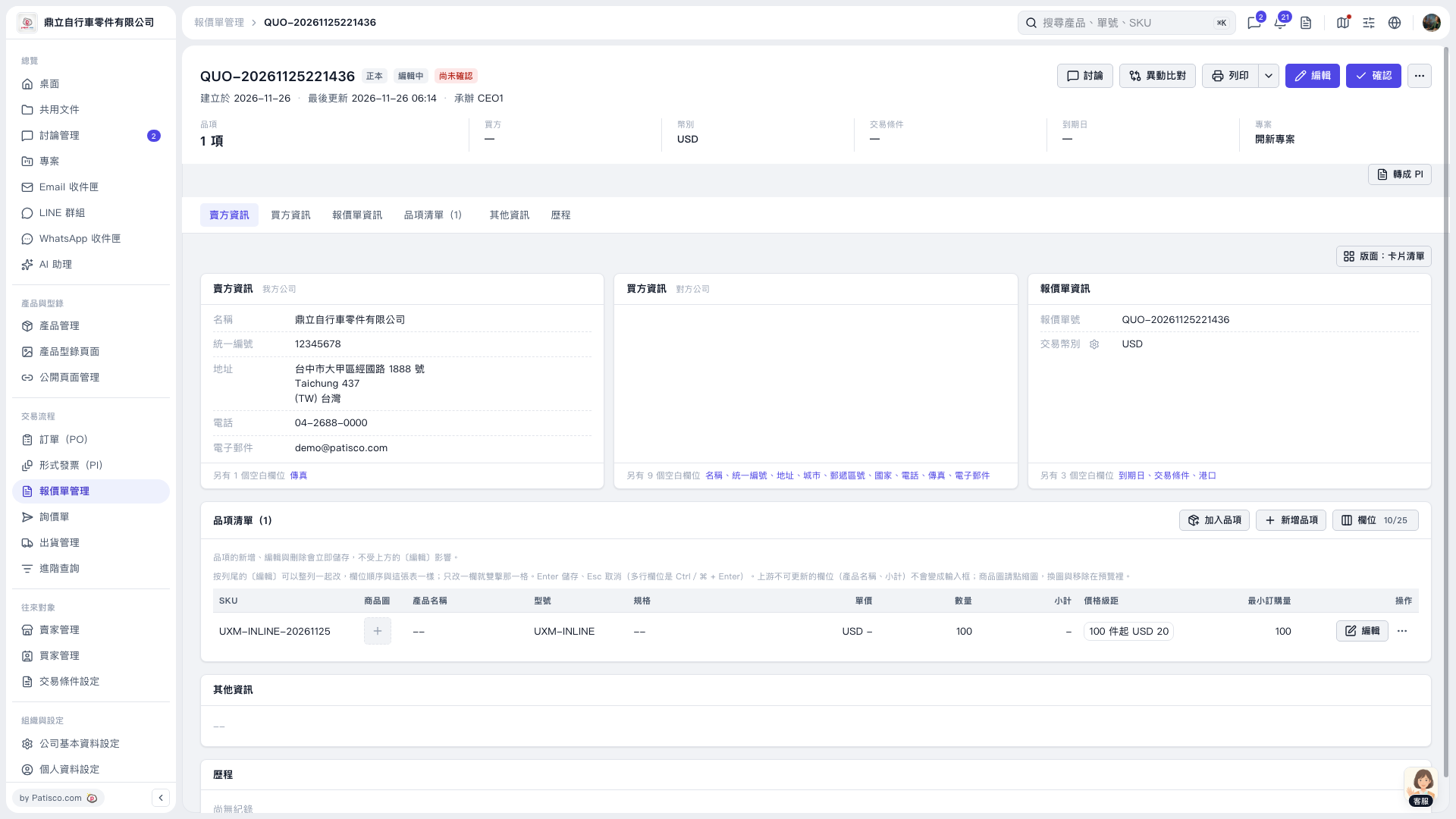
1. Find the item you want to change in the quotation's "Item list" and click "Edit" on the right side of that row. 2. You can also click an editable cell directly, make your changes, and press Enter to save or Esc to cancel. Unit price and quantity can be edited together. 3. For multiline fields, press Ctrl + Enter (⌘ + Enter on Mac) to save. After making changes, check "Quantity", "Price breaks", and "Minimum order quantity".
 V5 新桌面版|QUO-20261125221436