
1. In the left menu under "Organization & Settings", click "Profile Settings" and find "My Mailbox". 2. Depending on your email provider, click "Link Google mailbox" or "Link Microsoft mailbox", and complete the authorization flow. 3. If your company's Microsoft account is blocked, click "If your company's Microsoft account is blocked, ask your IT administrator to approve" to see the approval instructions. 4. Under "Linked mailboxes", check the mailbox address, "Sync status" and "Last synced".
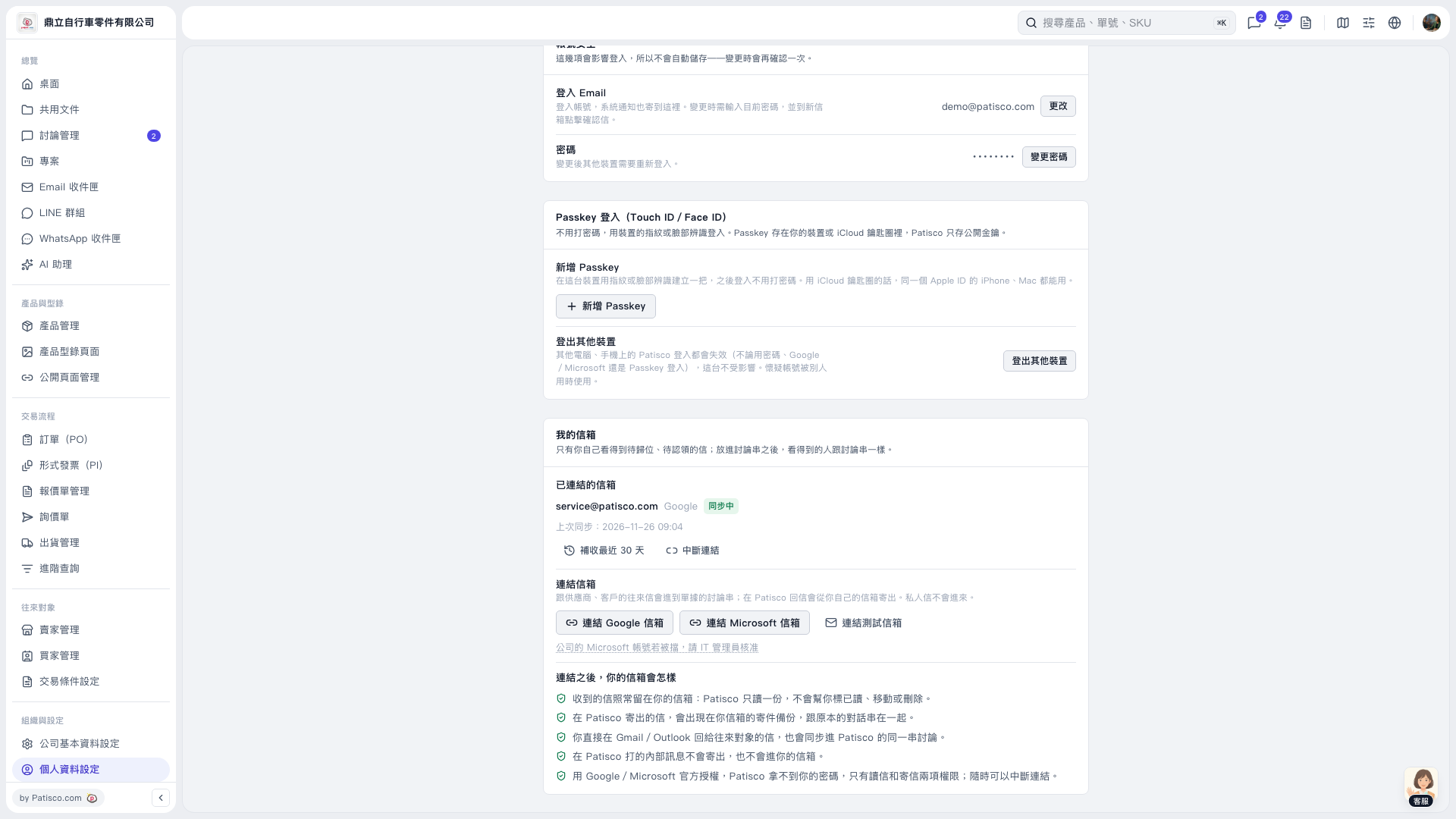 V5 新桌面版|個人資料設定