
1. Find the folder you want to view in the "Shared Files" list. 2. Tap the folder name to view its contents, or tap the expand arrow on the left of the row to view the contents beneath it. 3. To see the actions available for the folder, tap "⋮" on the right of the row.
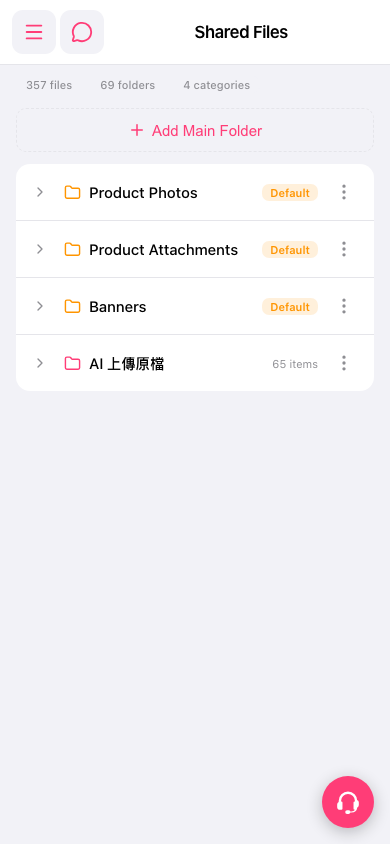 手機版|Shared Files(共享檔案)