
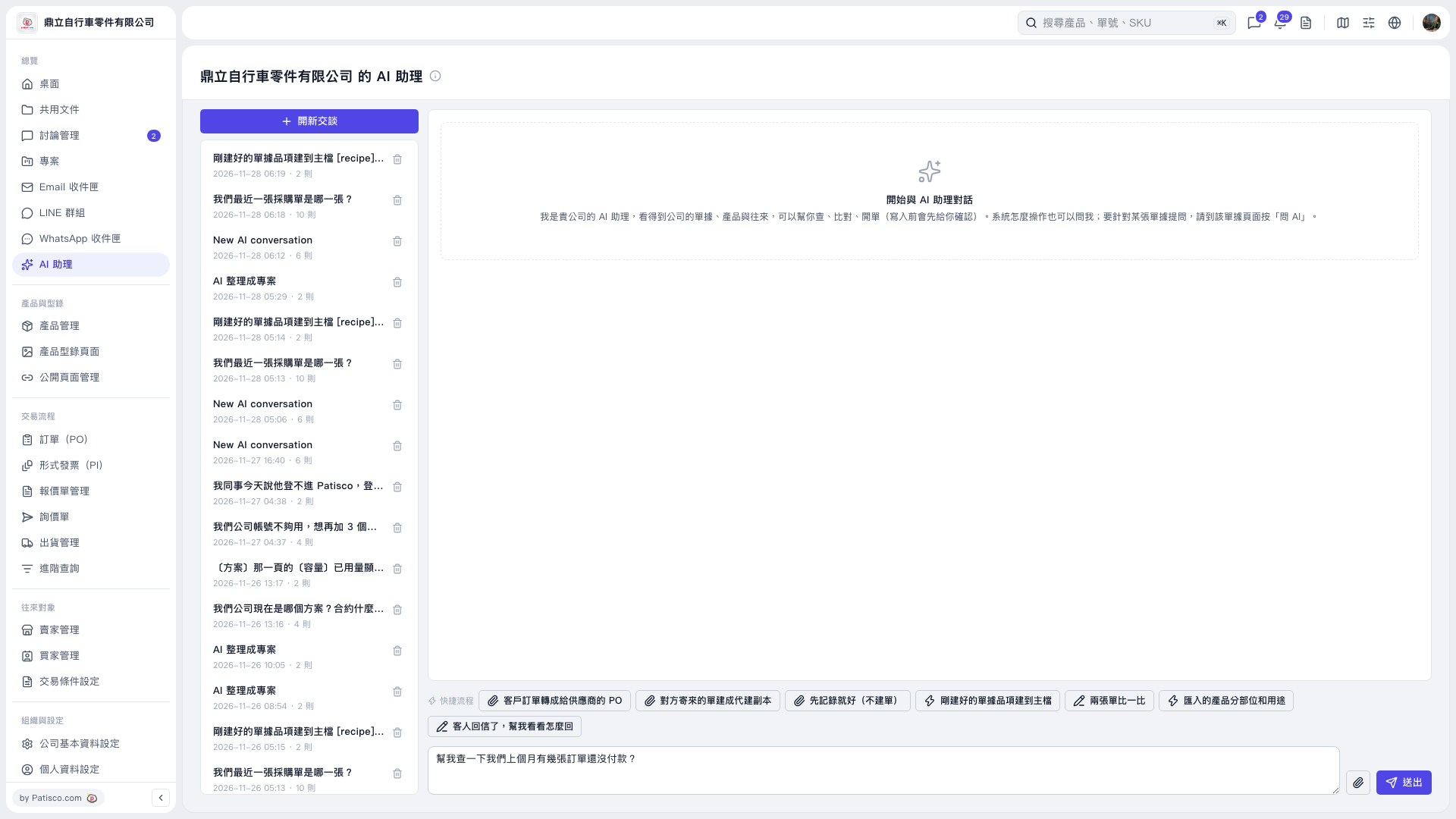
1. Click “AI assistant” in the left menu. 2. Click “New conversation” at the top of the conversation list on the left to start a new conversation. To continue a previous conversation, select it from the list on the left. 3. Enter your question in the message box at the bottom. You can also click a quick workflow above the message box, or use the paperclip (attachment) icon on its right side to upload a document file. 4. Click “Send” at the bottom right. 5. Wait for the AI response and review the results. AI will ask for your confirmation before writing data. You can ask: “Check how many of our POs from last month are still unpaid.” To ask about a specific document, open that document's page and click “Ask AI.”
 V5 新桌面版|鼎立自行車零件有限公司 的 AI 助理