
1. In the BASIC INFO section of the My Profile page, find Name, Phone Number, or Job Title. 2. Tap the arrow on the right side of the row to open the corresponding settings screen. 3. Follow the instructions on the subsequent screens to make and confirm your changes; the current screen does not show an editing form or a save button.
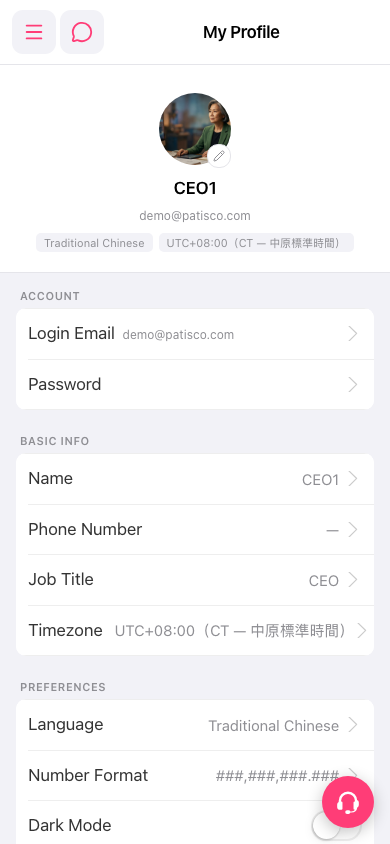 手機版|My Profile(我的個人資料)