
1. Open the details page of the PO copy (for example, SIM-NW-PO-2610-118, with the statuses “Copy” and “Editing”). 2. The link bar below the title shows “PI issued: SIM-NW-PO-2610-118,” indicating that this PO has already been converted to a Proforma Invoice. 3. If you convert it to a PI again, the system displays a confirmation dialog: “This PO has already been converted to a PI (SIM-NW-PO-2610-118). Converting it again will create another PI and send another notification to the buyer. Are you sure you want to convert it again?” 4. The dialog has two buttons: “Cancel” and “Create another PI anyway.” Clicking “Create another PI anyway” creates a new PI and sends another notification to the buyer. Click it only after confirming that you need to issue another PI. 5. If you only want to view the PI already issued, you do not need to convert the PO again. Click the “PI issued” link below the title to open it.
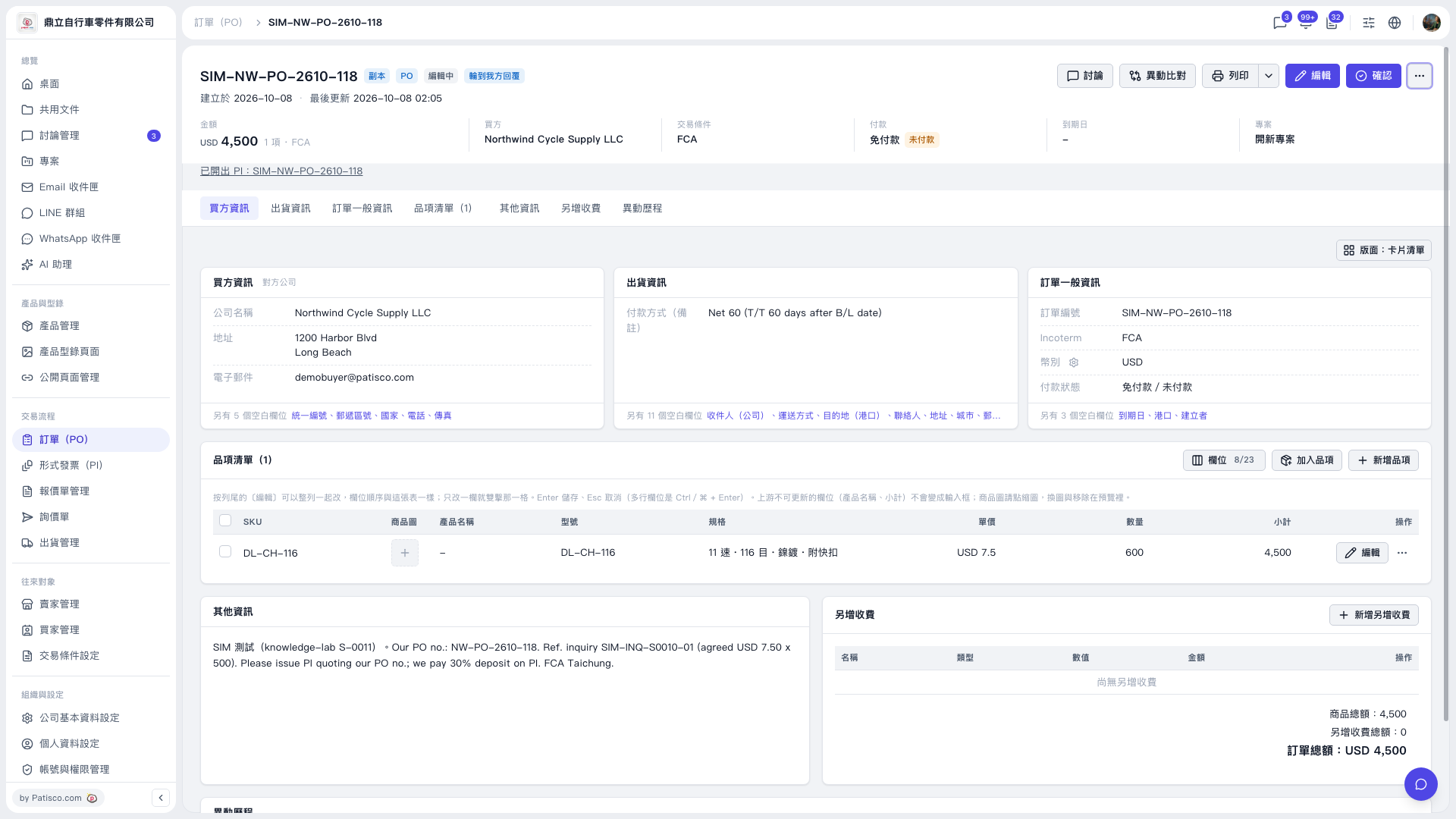 V5 新桌面版|SIM-NW-PO-2610-118(訂單 PO 詳情頁)