
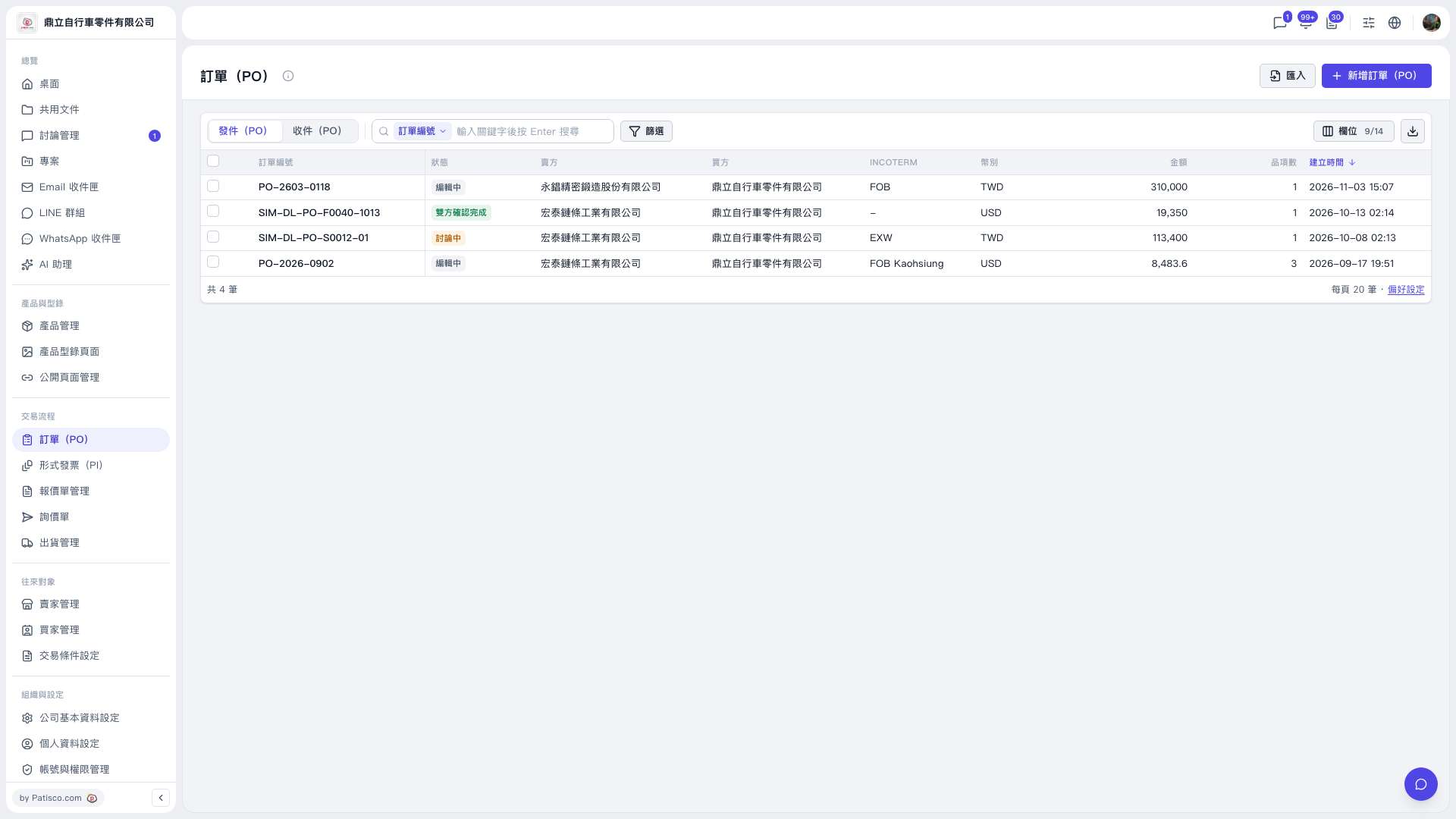
1. In the left menu, go to "Trading Process" → "PO". The "Sent (PO)" tab at the top contains POs you have sent, and the "Received (PO)" tab contains POs you have received. 2. If you know the PO number or line item details, use the small button at the far left of the search bar to select the field to search (PO Number, SKU, Model, Specifications, or Description), enter a keyword, and press Enter. 3. To search by company, email, country, or date, click "Filter" on the right side of the search bar. In the panel, select the other party's company, email, or country, the creation date, or the status, then click "Done". The search bar does not search company names. To find POs under a particular company name, use "Filter". The same procedure applies to the Proforma Invoice (PI) list.
 V5 新桌面版|訂單(PO)