
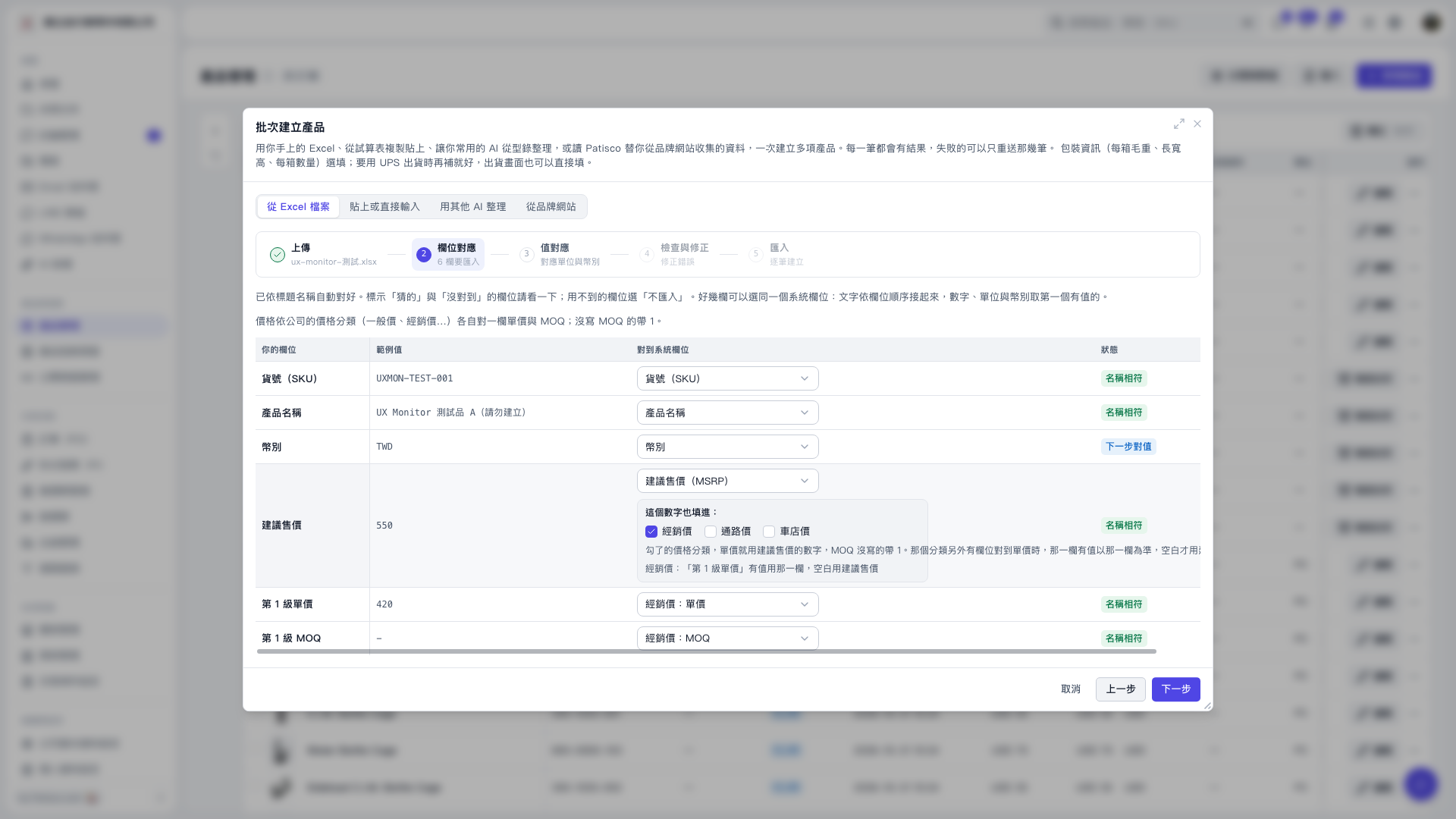
1. On the field mapping screen in “Create products in bulk,” check the Excel columns and “Sample value.” 2. Set “Map to system field” for the suggested retail price column to “Suggested retail price (MSRP).” 3. Under “Also use this value for” in that row, select “Distributor price.” You can also select “Channel price” or “Bicycle shop price” as needed. 4. Check columns marked “Guessed” or “Unmapped,” and select “Do not import” for columns you do not need. After checking the mappings, click “Next” to proceed to value mapping.
 V5 新桌面版|批次建立產品