
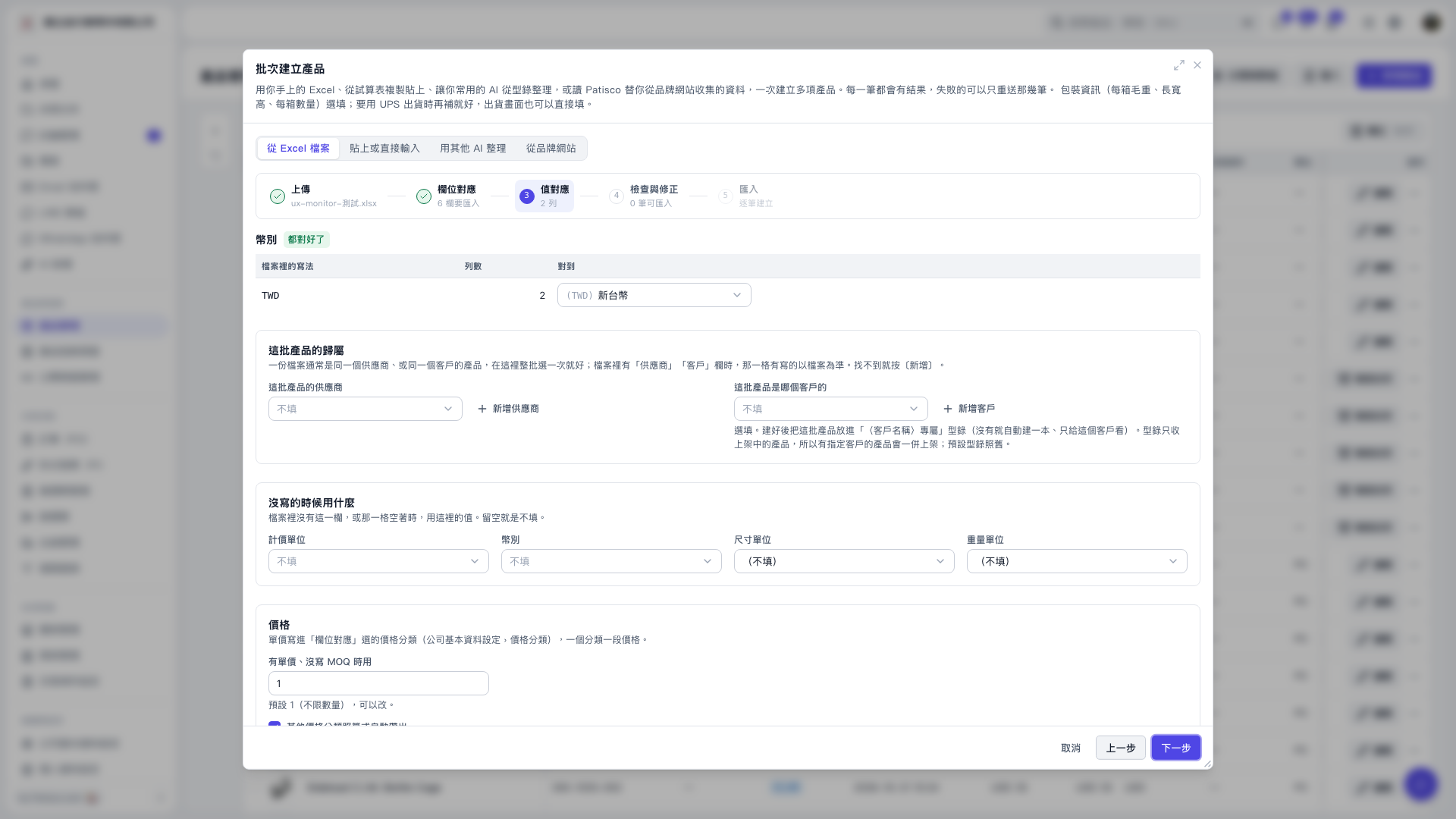
1. In the “Product ownership for this batch” section of “Create products in bulk,” select “Supplier for this batch” and “Customer for this batch.” 2. If you cannot find the supplier or customer you need, click “Add supplier” or “Add customer” to add one. 3. If the file already contains supplier or customer columns, the values in the file take priority for each row. 4. Complete the other settings, then click “Next” to proceed to “Review and correct.”
 V5 新桌面版|批次建立產品