
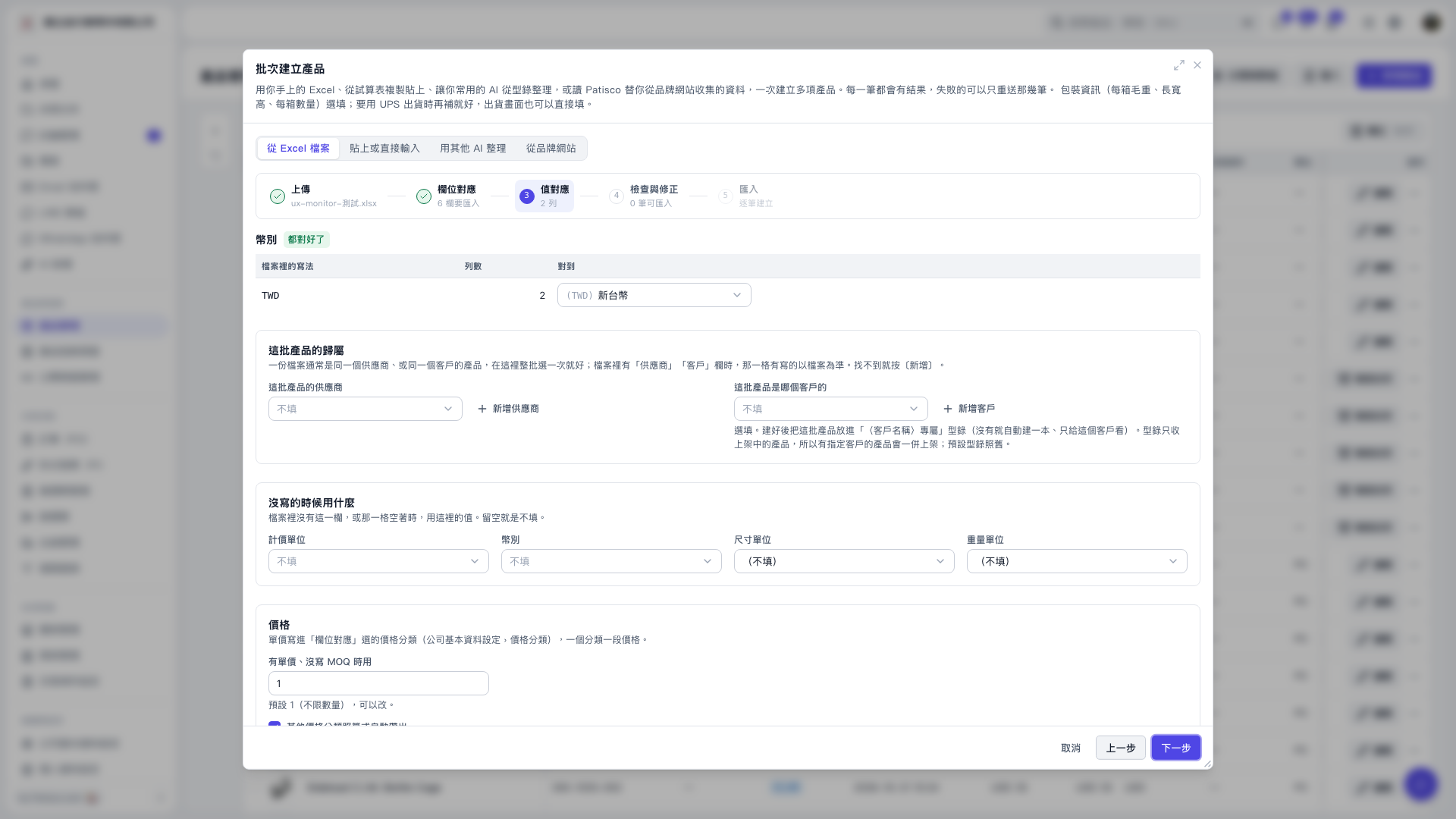
1. First, check that the currencies in the file are mapped correctly, such as TWD to New Taiwan Dollar. 2. Under “Defaults for missing values,” set “Pricing unit,” “Currency,” “Dimension unit,” and “Weight unit.” These defaults are used only when the file is missing the corresponding column or a cell is blank. Leave a setting blank to leave missing values unfilled. 3. Under “Use when a unit price is provided but MOQ is missing,” check the value to apply. The current default is 1. 4. Click “Next” to proceed to “Review and correct,” then check the data before continuing with the import.
 V5 新桌面版|批次建立產品