
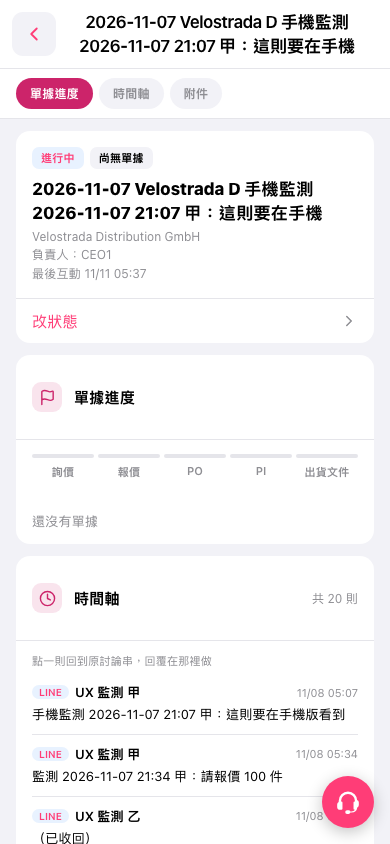
1. On the "Document Progress" tab of the case details page, check the case name, company name, person in charge, and current status. 2. Check the progress of the inquiry, quotation, PO, PI, and shipping documents. The case viewed here currently has no documents. 3. To change the case status, tap "Change Status" and follow the steps in the interface that opens. 4. To view case attachments, tap the "Attachments" tab at the top.
 手機版|2026-11-07 Velostrada D 手機監測 2026-11-07 21:07 甲:這則要在手機