
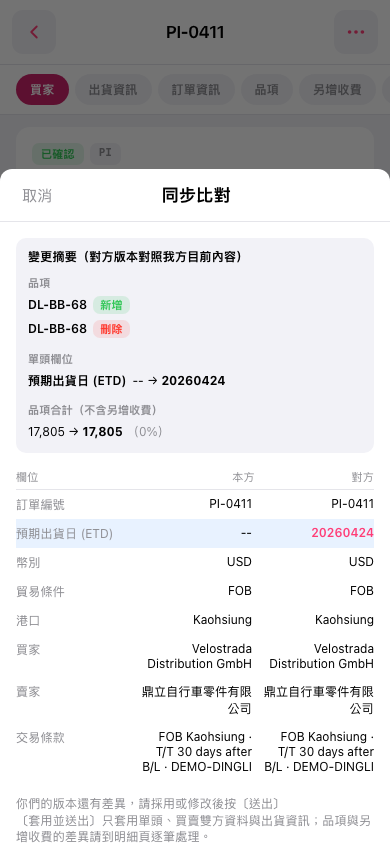
1. Review the change summary at the top to check added and deleted items and changes in amounts. Pay attention to "Item Total (Excluding Additional Charges)". 2. Compare the fields under "Our Side" and "Other Party" below to check differences in the PO number, expected shipping date (ETD), currency, and other details. In this example, the other party's expected shipping date is displayed as "20260424". 3. When you are done, tap "Cancel" in the upper-left corner of the window to close "Sync Comparison" and return to the PO page.
 手機版|同步比對