
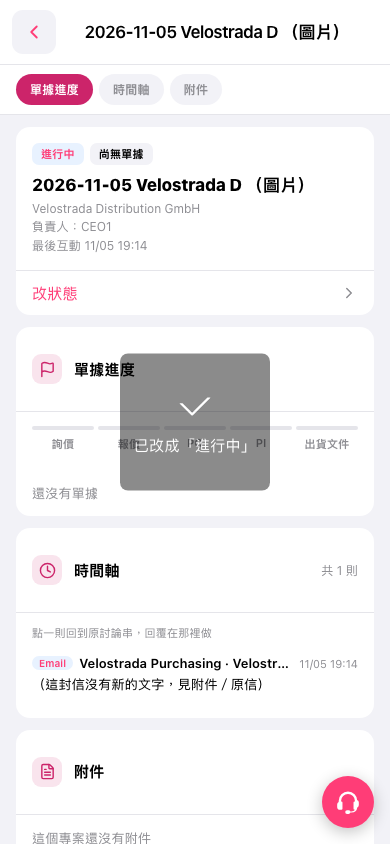
1. Open the case you want to update and check its name and current status on the case summary card. 2. Tap "Change Status" to open the status selection interface. 3. Select the status you want and complete the operation. 4. Confirm that the case's status label has been updated. For example, after changing it to "In Progress", the screen will show a message saying "Changed to 'In Progress'."
 手機版|2026-11-05 Velostrada D (圖片)