
1. Open the case and check its name, company name, person in charge, and current status on the "Document Progress" tab. 2. Check the progress of inquiries, quotations, POs, PIs, and shipping documents in the document progress section. This case currently has no documents. 3. To change the case status, tap "Change Status" below the case information card to open the status change controls.
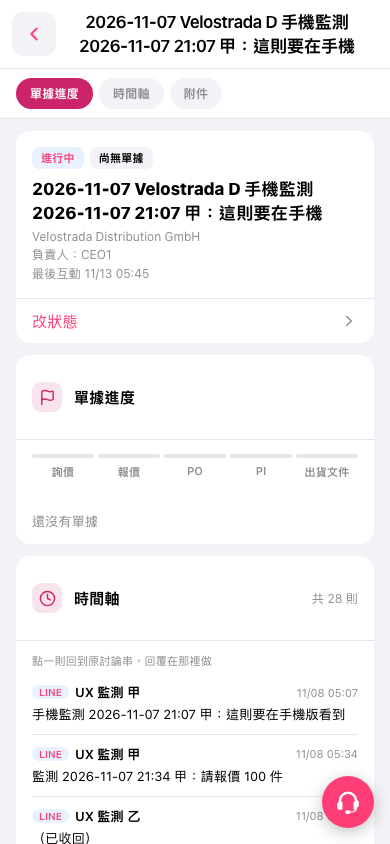 手機版|2026-11-07 Velostrada D 手機監測 2026-11-07 21:07 甲:這則要在手機