
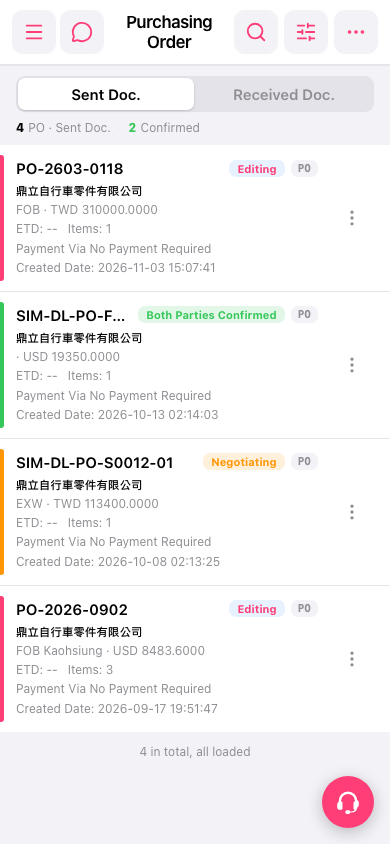
1. On the "PO (Purchasing Order)" page, select "Sent Doc." to view sent documents or "Received Doc." to view received documents. 2. Tap the search icon in the upper-right corner to search for a PO, or tap the filter icon to set filter conditions. 3. Check the PO number, trading partner's company name, document status, and amount in the list, then tap the PO you want to view.
 手機版|採購單(Purchasing Order)