
1. Open the Proforma Invoice and first check the document number in the header, the buyer, and the total amount. 2. To edit the document, click "Edit" in the upper-right corner. To add items, use "Add Items" or "New Item" above the upper-right corner of the item list. 3. Check each item's specifications, unit price, quantity, and subtotal, and confirm the address, contact information, and payment status. 4. After confirming the data, click "Send" in the upper-right corner. To print, click "Print".
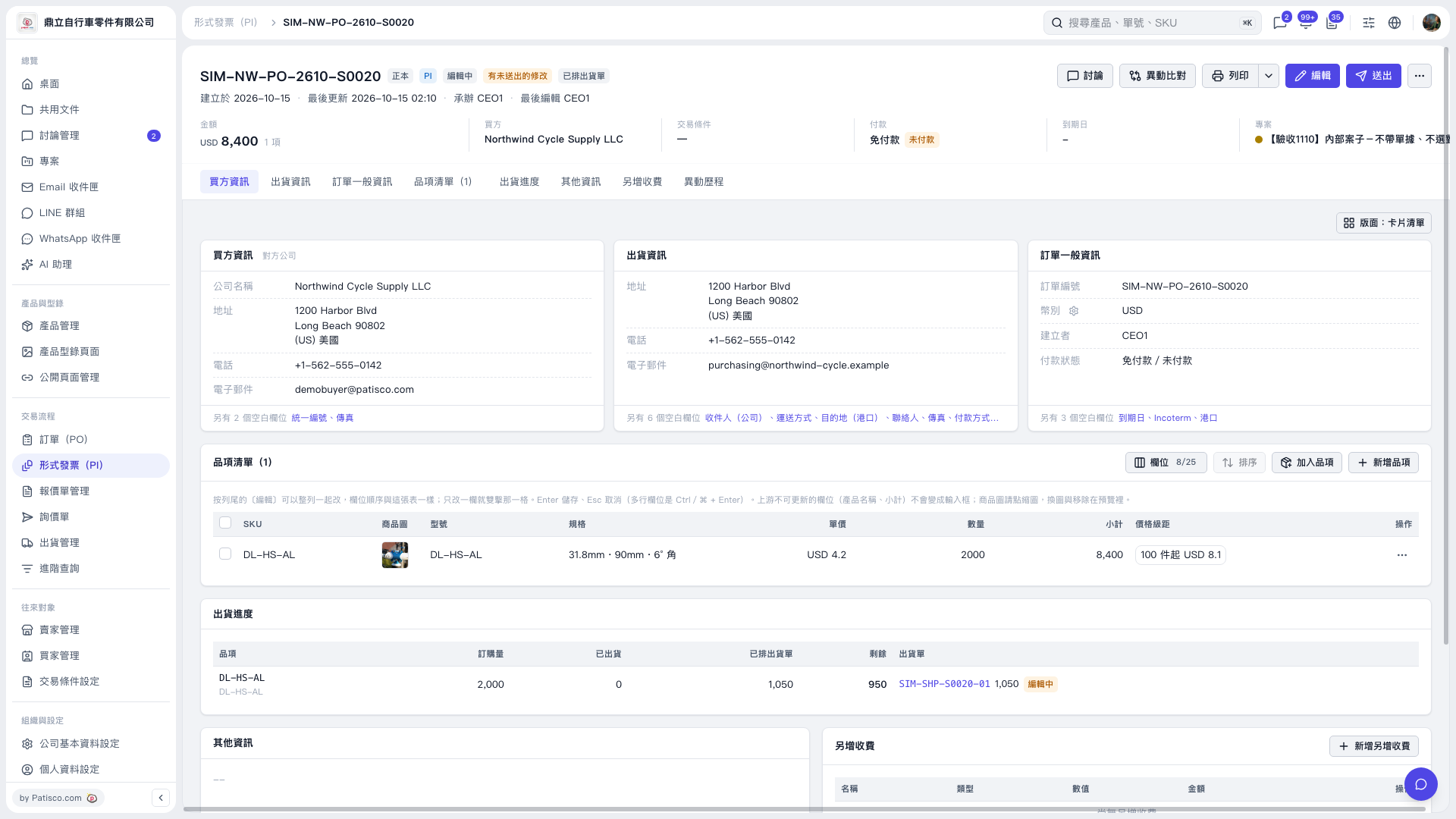 V5 新桌面版|SIM–NW–PO–2610–S0020