
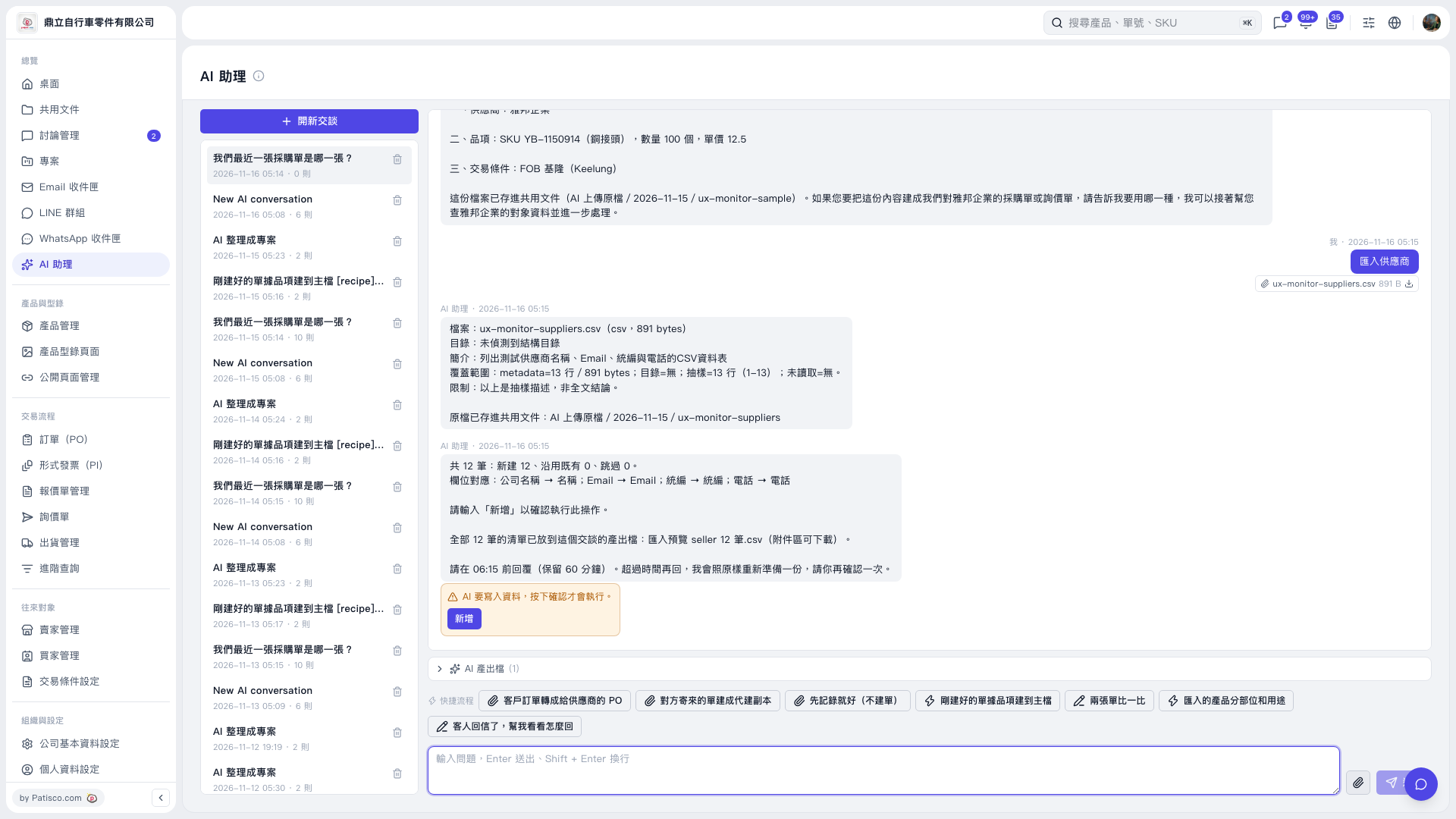
1. In an "AI assistant" conversation, click the attachment paperclip icon to the right of the message input box and upload the supplier CSV. 2. For example, enter "Import suppliers (12-row CSV)" and press Enter or click the send icon. 3. Review the parsing results and field mappings. For example, AI may respond: "12 records total: 12 new, 0 existing records reused, 0 skipped." The field mappings in this case are: Company Name → Name, Email → Email, Tax ID → Tax ID, Phone → Phone. 4. Expand "AI-Generated Files (1)", download "Import Preview seller 12 records.csv", and check all 12 records. 5. After confirming that the data is correct, click "Add" in the orange confirmation box within the validity period specified in the response. The records will only be added after you click it. In this case, the preview is retained for 60 minutes. If it has expired, ask AI to prepare the preview again, then confirm again.
 V5 新桌面版|AI 助理