
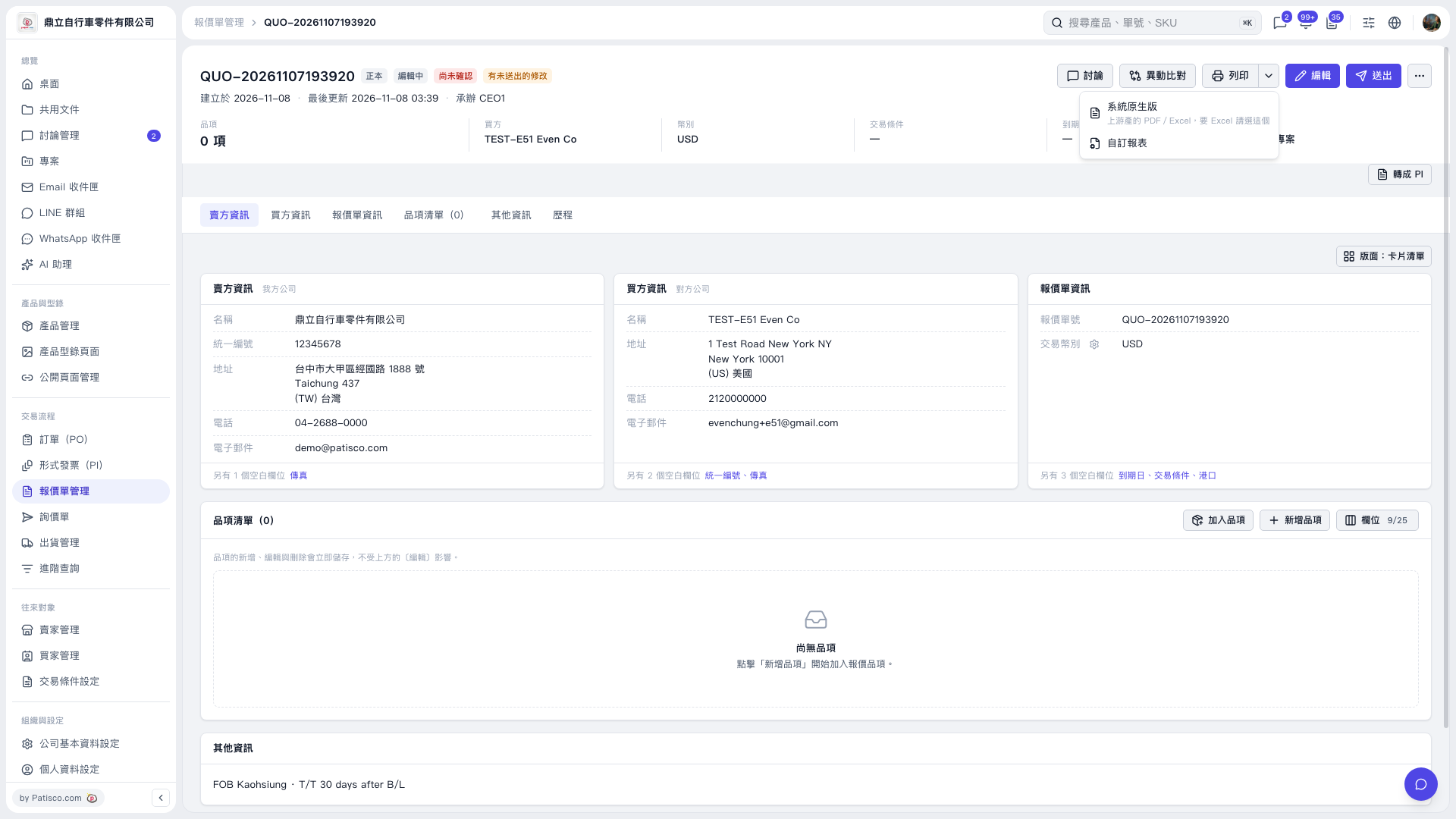
1. On the Quotation page, check the quotation number, buyer and seller information, and line items. The current quotation has no line items yet. 2. Click the drop-down arrow next to “Print” in the upper-right corner to open the print menu. 3. Select “System Default” or “Custom Report” as needed. To export to Excel, select “System Default.” 4. Complete the operation using the report screen or print interface that appears next.
 V5 新桌面版|QUO-20261107193920