
1. On the "Profile Settings" page, find the "My Mailbox" section near the bottom. 2. Depending on your email service, click "Connect Google Mailbox" or "Connect Microsoft Mailbox." 3. Complete the connection through Google's or Microsoft's official authorization process. 4. Once connected, email exchanges with suppliers and customers will appear in document discussion threads. When you reply in Patisco, the email will be sent from your own mailbox.
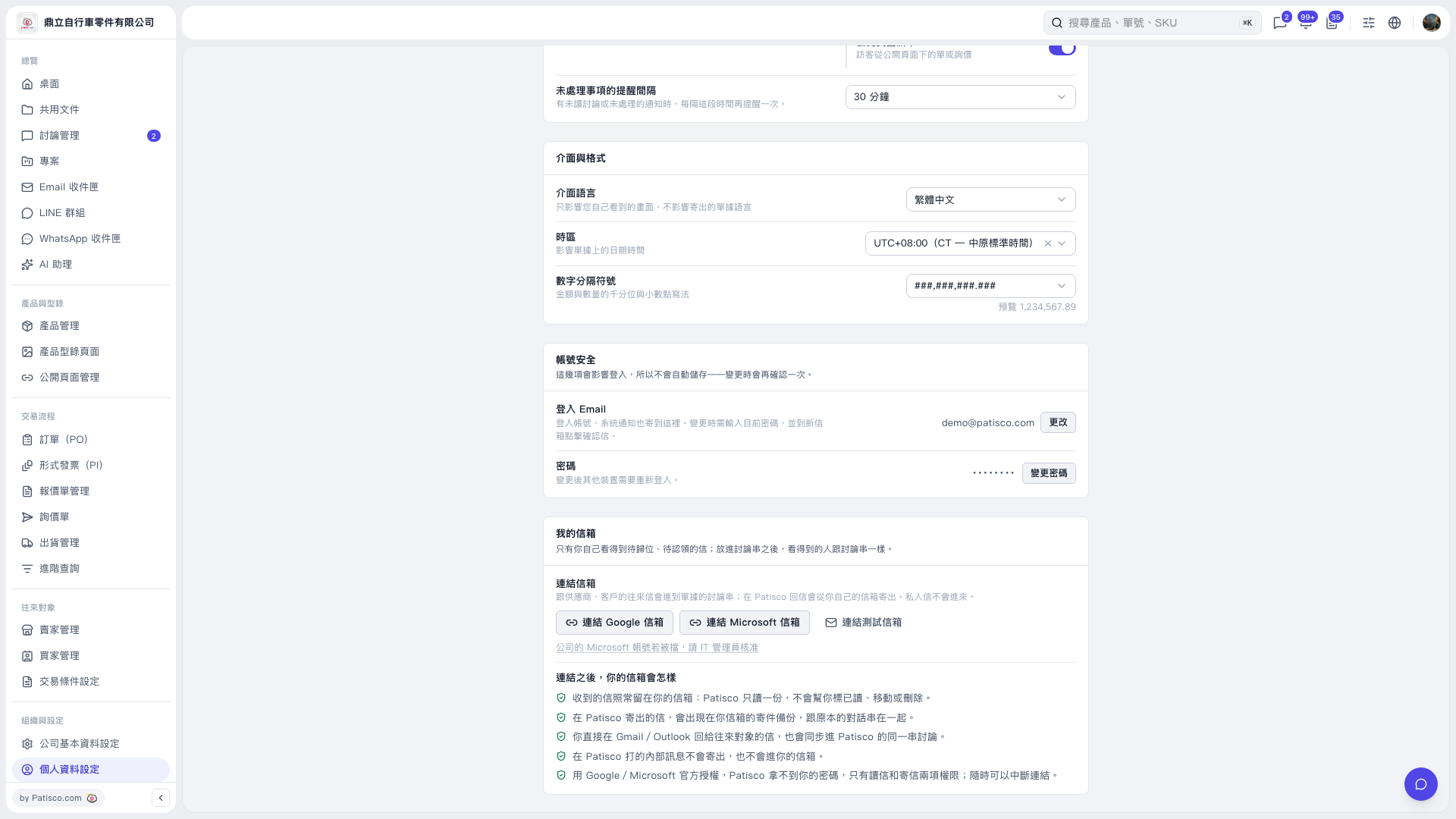 V5 新桌面版|個人資料設定