
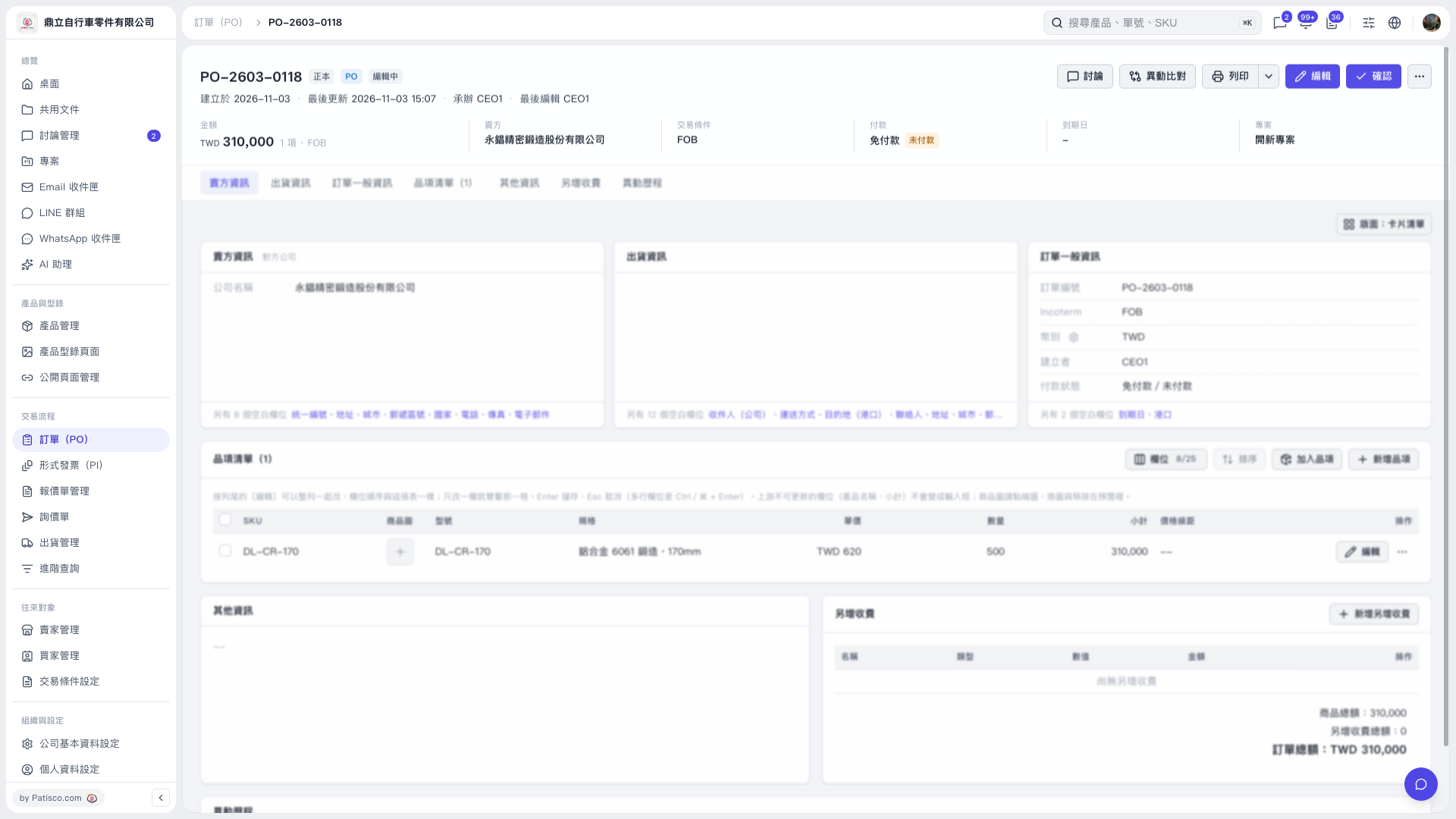
1. After opening the PO, first check the PO number, buyer, trading conditions, and payment information. To edit the PO data, click "Edit" at the top right. 2. In the item list, click "Edit" on the right of each row to edit an item, or click "Add item" or "New item" to add products. 3. If there are additional charges, click "Add additional charge" and check the "PO total". 4. After checking, click "Confirm" at the top right. To print, click "Print".
 V5 新桌面版|PO-2603-0118